

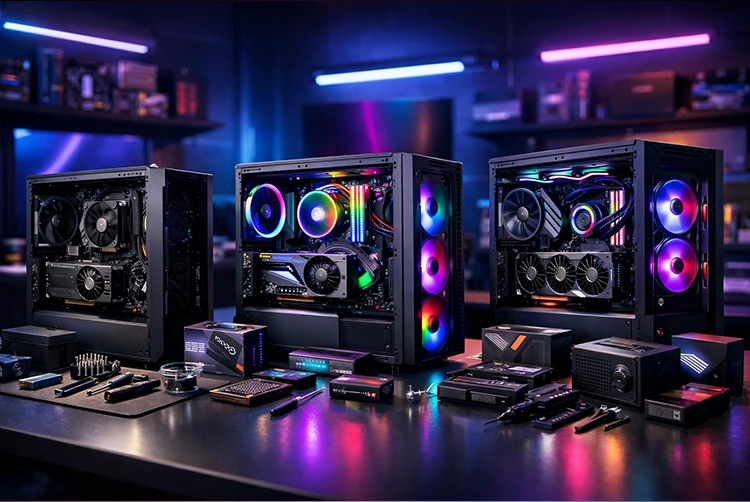
If you’re searching for gaming PC build guides then you’re in the right place. Whether you want smooth 1080p esports performance, immersive 1440p gameplay, or a future-ready 4K monster, this guide breaks down what to buy, why it matters, and how to balance performance with budget without unnecessary hype.
Why Follow a Gaming PC Build Guide?
Building a gaming PC isn’t just about buying the most expensive parts. A good build guide helps you:
Avoid bottlenecks between CPU, GPU, and RAM
Get better FPS for your budget
Choose parts that are compatible and upgrade-friendly
Build a system that lasts multiple GPU generations
Many performance issues come from poor component balance—not weak hardware.
Key Components Every Gaming PC Build Needs
CPU: The Performance Anchor
Your CPU determines how well your system handles:
Competitive gaming
Open-world AI and physics
Streaming and multitasking
Choosing between platforms matters. Modern builds often start by deciding AMD or Intel for gaming for streaming and esports, since motherboard and RAM support depend on this choice.
GPU: The Most Important Gaming Component
The GPU has the biggest impact on gaming performance. Higher resolutions and visual settings depend almost entirely on graphics power and memory capacity.
If you’re planning long-term upgrades, understanding how VRAM affects gaming performance is just as important as raw GPU speed.
Motherboard: Stability and Expansion
A good motherboard ensures:
Stable power delivery
Future CPU and RAM upgrades
Proper RGB and cooling support
When selecting a board, guides focused on best gaming motherboards can help avoid overpaying for features you don’t need.
RAM: Speed vs Capacity
Most modern gaming builds perform best with:
16GB for budget builds
32GB for high-end or future-proof systems
If you’re unsure whether DDR4 or DDR5 makes sense, your decision should align with your CPU and motherboard rather than chasing raw frequency numbers.
Storage: Load Times Matter
Fast SSDs drastically reduce:
Game load times
Texture pop-in
System boot delays
NVMe SSDs are now standard for gaming builds targeting smooth performance.
Gaming PC Build Guides by Budget
Budget Gaming PC Build (1080p)
Best for: Esports, casual gaming, high-FPS competitive titles
Focus:
Value CPU
Mid-range GPU
16GB RAM
SSD storage
This type of build delivers excellent performance without overspending and is perfect for players prioritizing frame rate over ultra graphics.
Mid-Range Gaming PC Build (1440p)
Best for: AAA gaming, high settings, balanced visuals and FPS
Focus:
Strong CPU + GPU pairing
Faster RAM
Better cooling and airflow
Mid-range builds benefit from component balance, especially when running demanding games or planning future upgrades.
High-End Gaming PC Build (4K & Future Titles)
Best for: Ultra settings, ray tracing, long-term upgrades
Focus:
Flagship GPU
Modern CPU platform
DDR5 memory
High-quality power supply
If you’re building for upcoming titles, aligning your setup with next-gen PC build strategies for games like GTA 6 ensures your system stays relevant longer.
Building for Future Games
New game engines increasingly rely on:
Faster CPUs
Higher memory bandwidth
Larger VRAM pools
That’s why high-end builds often pair premium GPUs with modern RAM and CPUs, similar to systems compared in RTX 5090 vs AMD Radeon RX 7900 XTX performance discussions.
Future-ready builds cost more upfront but save money over time by avoiding early upgrades.
Common Gaming PC Build Mistakes
Overspending on RGB instead of performance
Pairing weak CPUs with powerful GPUs
Ignoring airflow and cooling
Choosing incompatible RAM and motherboards
Following structured gaming PC build guides prevents these costly errors.
How to Upgrade an Existing Gaming PC
If you already own a gaming PC, you don’t always need a full rebuild.
High-impact upgrades include:
GPU upgrade
SSD upgrade
RAM expansion
Always check platform compatibility before upgrading, especially when moving between memory generations.
Final Thoughts: Gaming PC Build Guides for US Gamers
The best gaming PC build guides focus on balance, real-world performance, and upgrade potential—not hype. By choosing compatible components and planning for future titles, you can build a system that delivers smooth gameplay today and stays competitive tomorrow.
FAQs
How much should I spend on a gaming PC ?
For most gamers, $900–$1,200 offers the best balance of performance and value. High-end builds can exceed $2,000.
Is building a PC better than buying prebuilt?
Yes. Building your own PC offers better value, easier upgrades, and full control over components.
What’s the most important part of a gaming PC?
The GPU is the most important, followed by the CPU and RAM balance.
How long does a gaming PC last?
A well-balanced gaming PC can last 4–6 years with minor upgrades.
Do gaming PC build guides work for all games?
Yes, but requirements vary. Competitive games favor CPU speed, while AAA titles rely more on GPU and VRAM.
