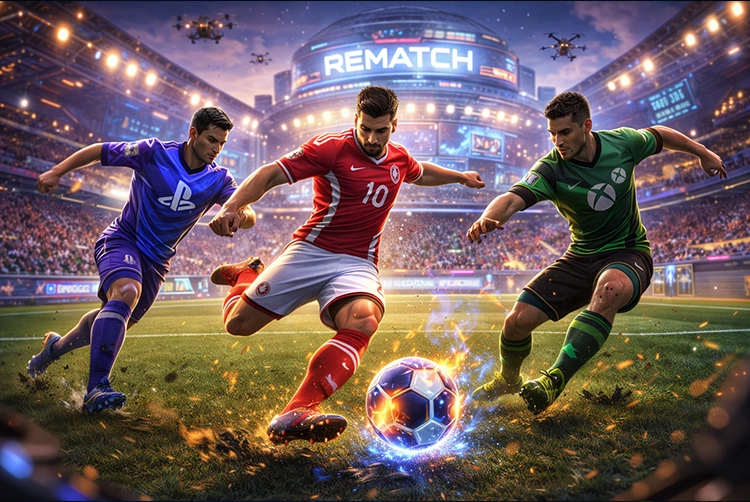
Rematch, the fast-paced 5v5 football game from Sloclap (the studio behind Sifu), has become a go-to multiplayer title for players who love skill-based, arcade-style soccer action. If you’re searching “is Rematch crossplay,” the good news is yes full crossplay is live and working across PC, PlayStation 5, and Xbox Series X/S as of 2026. You can now squad up with friends regardless of platform, making it easier than ever to jump into quick matches or climb the ranked ladder together.
Originally launched in June 2025 without crossplay, the feature arrived in Patch 3 (September 2025) and has been active ever since. This update dramatically improved matchmaking queues and brought the community together. Whether you’re on Steam, Xbox Game Pass, or a console, the experience feels seamless in 2026. In this guide, we’ll break down exactly how crossplay works, which platforms are supported, how to enable or disable it, and tips for the best experience especially useful if you’re coming from similar multiplayer games.
The Story Behind Rematch Crossplay: From Launch Delay to Full Support
When Rematch dropped in June 2025, many players were disappointed to find no cross-platform play at launch. The small team at Sloclap openly apologized, explaining that implementing crossplay for the first time proved more complex than expected due to platform compliance, server architecture, and stability concerns. At the time, only Xbox Game Pass Ultimate users on PC and console could play together in limited fashion true crossplay between Steam, PS5, and Xbox wasn’t available.
The studio made crossplay their top priority. After months of work, Patch 3 rolled out in early September 2025 with full crossplay enabled by default. The update also added 3v3 ranked mode, new cosmetics, and quality-of-life improvements. Since then, the feature has remained stable through subsequent patches, with no major disruptions reported in 2026.
This mirrors how other multiplayer titles evolved for instance, many fans of competitive shooters remember similar journeys when checking is XDefiant crossplay or is Destiny 2 crossplay. Rematch’s delayed but successful rollout has kept player numbers healthy and queues fast.
Which Platforms Support Rematch Crossplay?
Rematch crossplay works between:
- PC (Steam and Xbox Game Pass/PC Game Pass)
- PlayStation 5
- Xbox Series X and Series S
Note that older consoles like PS4 or Xbox One are not supported, and there’s no mobile or Nintendo Switch version. Once you’re in a lobby, the game groups players from all platforms automatically for faster matchmaking. You can still play locally on the same platform if you prefer smaller queues or want to avoid any potential input differences.
One important detail: while crossplay is fully supported, there is no cross-progression. Your unlocks, rank, and progress stay tied to the platform you’re playing on. Sloclap has stated there are currently no plans to add cross-save functionality.
If you’re building a PC setup to run Rematch smoothly alongside other titles, the Intel Arc B570 offers great budget performance, or check out how older architectures like RDNA 2 still hold up in modern games.
How to Enable or Disable Crossplay in Rematch
Turning crossplay on or off is straightforward and gives you full control:
- Launch Rematch on your platform.
- Go to Settings → Online (or the “Multiplayer” tab depending on your version).
- Look for the Enable Crossplay toggle — it’s on by default.
- Switch it off if you want platform-only matchmaking (useful for tournaments or avoiding controller vs. keyboard debates).
- Restart the game or return to the main menu for changes to take effect.
Most players leave it enabled for quicker games, especially in ranked modes. The game also lets you invite friends across platforms directly from the friends list once you’re signed in with your platform account.
Tips for the Best Crossplay Experience in 2026
Crossplay in Rematch feels responsive thanks to dedicated servers and low-latency matchmaking, but a few tips can make sessions even smoother:
- Stable internet matters — Aim for wired connections on consoles or Ethernet on PC. Wireless can introduce minor delays in this split-second gameplay.
- Input consistency — Controller players dominate, but keyboard/mouse works too. Many crossplay lobbies mix inputs without major issues.
- Performance tweaks — On lower-end PCs, enable performance mode or lower shadows. If you’re experiencing lag similar to other titles, our guide on fixing Fortnite lag on low-end PCs shares universal tricks that work great for Rematch too.
- Check server health — While Rematch doesn’t have a dedicated public status page like some MMOs, quick community checks on Discord or the official site usually flag any regional issues. For comparison, titles like Diablo often have real-time updates see our Diablo 4 server status page for how these systems work.
Pairing Rematch with solid hardware helps too. If you’re curious about upcoming shooters that also emphasize crossplay, the ARC Raiders system requirements give a good benchmark for similar modern multiplayer experiences.
How Rematch Crossplay Compares to Other Popular Games
Rematch’s implementation feels closer to The Finals crossplay or PUBG crossplay enabled by default with an easy toggle and strong focus on fast queues. Unlike some older titles that struggled with input lag across platforms, Rematch handles mixed lobbies cleanly thanks to its third-person perspective and forgiving physics.
It’s also worth noting that crossplay has helped smaller games thrive. Whether you’re grinding ranked in Rematch or checking out roguelike decks in Slay the Spire 2, the ability to play with friends across ecosystems keeps communities alive longer. If you’re into gacha-style games too, the Reverse: 1999 tier list shows how different titles reward consistent play — something crossplay supports in Rematch.
For console players wondering about backward compatibility or multi-gen features, it’s similar to how PS5 can play PS4 games with enhancements, though Rematch is strictly current-gen only.
Why Crossplay Matters for Rematch Players in 2026
With crossplay active, Rematch has evolved from a promising launch into a true cross-platform staple. Queues pop faster, friend groups stay together, and the skill ceiling rises as players from every platform compete. The lack of cross-progression is the only remaining downside, but the core gameplay loop — precise passing, dramatic saves, and clutch goals shines brighter when everyone can join in.
If you’re on the fence about picking it up, now is a great time. The Season 1 updates and ongoing support have made it one of the most welcoming multiplayer football experiences available.
FAQs About Rematch Crossplay
Is Rematch crossplay supported in 2026?
Yes — full crossplay between PC, PS5, and Xbox Series X/S has been active since September 2025 and remains fully functional.
Which platforms can play together in Rematch?
PC (Steam & Game Pass), PlayStation 5, and Xbox Series X/S all connect seamlessly. Older consoles are not supported.
How do I turn crossplay on or off?
Go to Settings > Online and toggle “Enable Crossplay.” It’s enabled by default for faster matchmaking.
Does Rematch have cross-progression?
No. Your progress, ranks, and unlocks are platform-specific with no plans for cross-save at this time.
Can I play Rematch with friends on different platforms?
Absolutely — just add them via their platform account or invite codes once crossplay is active.
Is there any input advantage in crossplay lobbies?
Controller and keyboard/mouse both work well. The game balances lobbies without major issues reported in 2026.
What if I experience lag in crossplay matches?
Try wired connections and performance settings. Many of the same fixes that help in games like Fortnite also apply here.
Should I buy Rematch in 2026 if crossplay is important?
Yes — it’s one of the best times to jump in, with stable crossplay, regular updates, and healthy player counts across all platforms.