

Arc Raiders, the free-to-play PvPvE extraction shooter from Embark Studios, supports full crossplay across PC, PS5, and Xbox Series X|S meaning you can drop into raids with your squad regardless of platform. Launched on October 30, 2025, it also features cross-progression through the mandatory Embark ID account, so your loadouts, cosmetics, and progress carry over seamlessly. Whether you’re looting Speranza solo or teaming up in trios against ARC threats, crossplay keeps the action unified. This guide covers setup, friends, toggles, and tips perfect if you’re mixing PC precision with console vibes, much like in Destiny 2’s shared worlds.

What Does Crossplay Mean in Arc Raiders?
Crossplay lets players from different platforms join the same lobbies, raids, and parties. In Arc Raiders’ tense 30-minute extractions, you’ll share matchmaking pools for PvP skirmishes and PvE robot fights. Play solo, duo, or trio crossplay ensures quick queues and diverse squads. It’s enabled by default, with voice chat and proximity comms working across systems. No separate servers; everyone competes in Speranza’s ruins together.
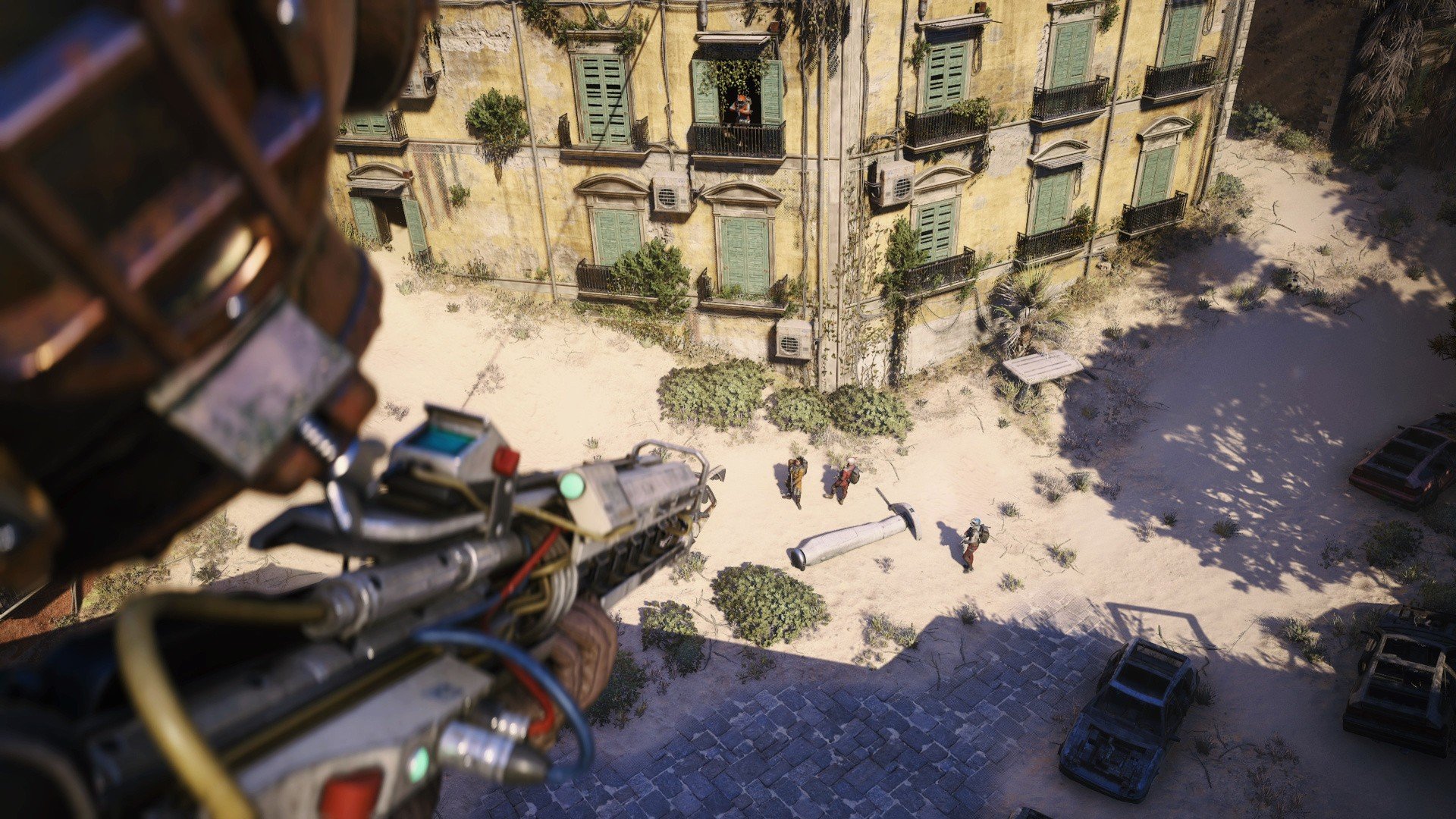
Supported Platforms
Arc Raiders is available on:
| Platform | Store | Notes |
|---|---|---|
| PC | Steam | Full features; KBM/controller support. |
| PS5 | PlayStation Store | Native; controller optimized. |
| **Xbox Series X | S** | Microsoft Store / Game Pass? |
No PS4, Xbox One, or Epic (Steam only for PC). All share Embark ID for progression.
Cross-Progression: Carry Your Gear Everywhere
Your inventory, levels, and unlocks sync via Embark ID Embark’s free account system (like in The Finals). Start on PS5, switch to PC? Everything transfers instantly. Purchases and cosmetics are account-bound too.
Step-by-Step: Setting Up Crossplay and Embark ID
- Launch and Create/Link Embark ID: On first boot, select “Create New Account” or “Link Existing.” Scan QR or visit id.embark.games to connect Steam/PSN/Xbox Live.
- Enable Crossplay: Settings > Gameplay > Online > Crossplay (toggle ON). Note: Can’t change mid-match; console privacy may override.
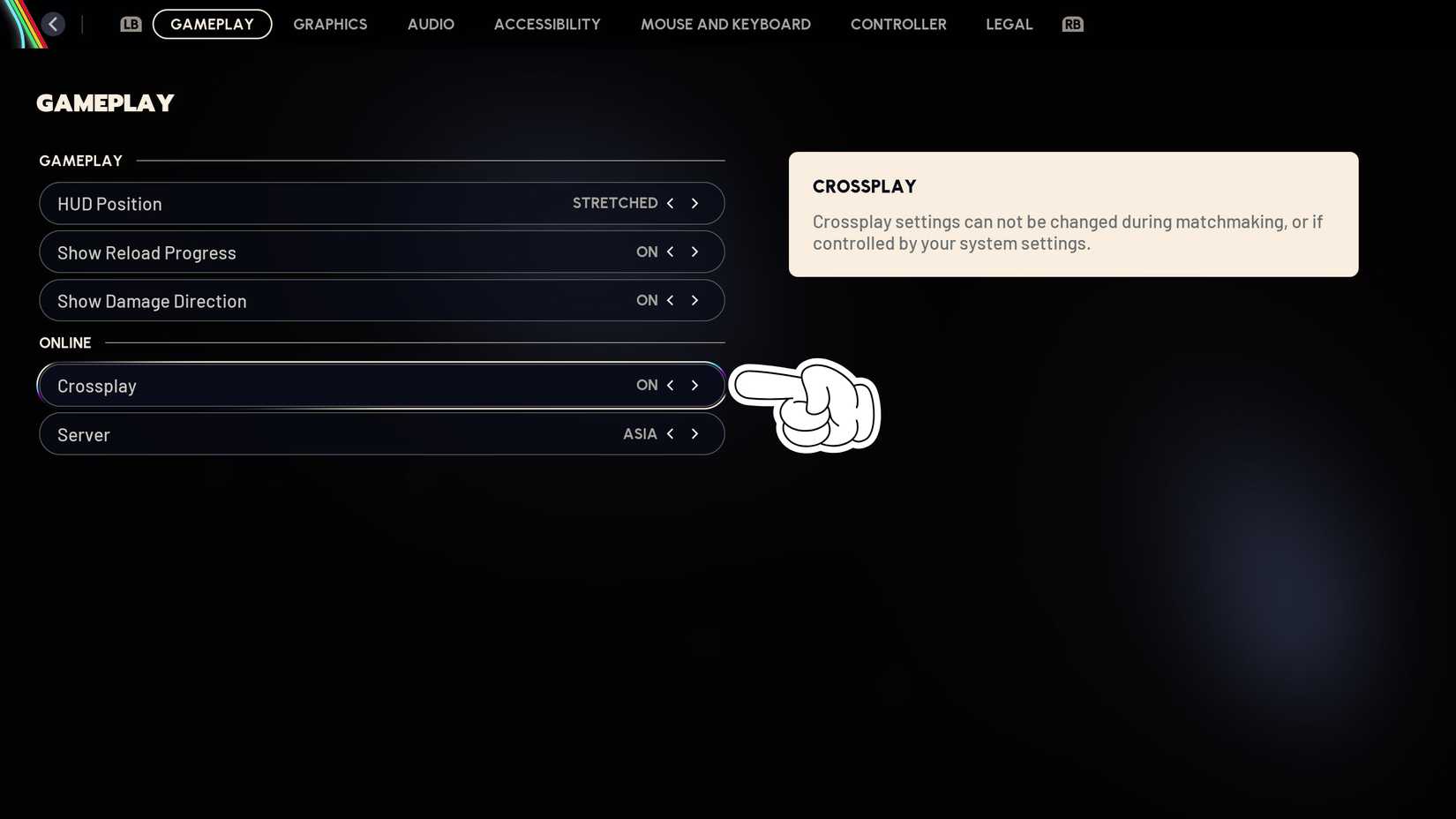
- Verify Links: id.embark.games > Connected Platforms > Add missing ones.
Pro tip: Link early to avoid progress loss unlinking deletes everything.
Adding Friends and Forming Parties Cross-Platform
Friends use Embark IDs (e.g., Player#1234):
- Lobby > Social (bottom-right) > Friends > Add Friend > Enter ID.
- Accept request; invite via + icon above Play button.
- Or quick-invite from Recent players post-raid.
Parties auto-queue together. Crossplay unifies lists no platform silos.

Limitations, Toggles, and Troubleshooting
- Disable Crossplay? Yes in settings or console privacy (Xbox Network > Multiplayer > Cross-network). Console players often toggle off to avoid PC MnK aim, reporting “sweatier” lobbies with it on. Queues lengthen (5-10x slower).
- Input Matchmaking? No separate pools; unified. Console aim assist helps balance.
- Issues? Restart for sync fails; check Embark status. Recent patches fixed fire rates/crossplay bugs.
- Compare to PUBG’s crossplay setup similar account linking.
For PC optimization, see our Black Ops 6 crossplay tweaks.
Conclusion
Arc Raiders crossplay elevates its extraction chaos, blending platforms effortlessly via Embark ID. Squad up today grab it free on Steam or consoles. Like The Finals, it’s built for shared raids.
FAQs
Does Arc Raiders Have Cross-Save Between PC and Consoles?
Yes, Embark ID enables full cross-progression—link once, sync forever.
Can I Turn Off Crossplay in Arc Raiders?
Absolutely: Settings > Gameplay > Crossplay OFF. Ideal for console-only lobbies, though queues grow.
Is There PC vs Console Crossplay in Arc Raiders?
Full yes, unified matchmaking. Toggle off if PC feels unfair.
How Do I Add Cross-Platform Friends?
Social > Add Friend > Enter Embark ID. Works Steam/PS/Xbox.
Why Are My Friends Not Showing in Arc Raiders?
Relink Embark ID; restart game. Privacy blocks cross-network play.
