

Chivalry 2 remains one of the most chaotic and exhilarating multiplayer experiences in gaming, and the burning question on every medieval warrior’s mind in 2026 is simple: is Chivalry 2 crossplay supported? The short answer is a resounding yes. Chivalry 2 delivers full crossplay across PC, PlayStation 4, PlayStation 5, Xbox One, and Xbox Series X|S. Whether you’re swinging a war hammer on console or aiming a longbow from your gaming rig, you can clash steel with friends and foes alike.
What Is Crossplay and Why Does It Matter ?
Crossplay, also known as cross-platform multiplayer, lets gamers on different devices PC, consoles, and sometimes even handhelds—play together in the same matches. In an era where friends are scattered across ecosystems (PlayStation, Xbox, Steam, Epic), crossplay eliminates the old “platform lock” frustration.
If you’ve ever wondered how games like XDefiant or Marvel Rivals manage massive player pools, crossplay is the secret sauce. For Chivalry 2, it means larger lobbies, faster matchmaking, and the ability to team up with your squad no matter the hardware. Curious about other titles? Check out our in-depth breakdown on Does XDefiant include cross-platform functionality or Can players from PC, PlayStation, and Xbox team up in Marvel Rivals for similar insights.

Does Chivalry 2 Support Crossplay? Full Breakdown
Yes Chivalry 2 has supported crossplay since day one. Launched in 2021 with cross-platform matchmaking enabled across all versions, the game has only improved. Full crossplay parties were added later via the Raiding Party update (patch 2.8), allowing players to form groups and queue together regardless of platform.
Supported Platforms for Chivalry 2 Crossplay
- PC: Epic Games Store and Steam versions both participate in crossplay lobbies.
- PlayStation: PS4 and PS5 (backward compatible).
- Xbox: Xbox One and Xbox Series X|S.
All platforms play together in the same matches. Note that while PC-to-PC parties between Steam and Epic may have minor limitations in some cases, console-to-PC and console-to-console crossplay works flawlessly.
This broad compatibility is a huge win compared to older titles. For context, see our guide on Popular crossplay titles for Xbox and PC gamers.
How Crossplay Evolved in Chivalry 2
At launch, crossplay was limited to matchmaking. You’d jump into a server and fight alongside (or against) players from other platforms, but forming parties was console-only or PC-only. The community demanded true crossplay parties, and Torn Banner Studios delivered.
The Raiding Party update introduced Invite Codes a simple system that lets you add friends across platforms. Today in 2026, crossplay is mature, stable, and one of the game’s strongest features.
Step-by-Step: How to Enable and Use Crossplay in Chivalry 2
Crossplay is enabled by default — no toggle needed. Here’s how to party up:
- Launch Chivalry 2 on your platform.
- Go to the Social tab (bottom right or main menu).
- Find your Invite Code (displayed prominently).
- Share the code with your friend (Discord, WhatsApp, etc.).
- They paste your code under “Add Friend” in their Social menu.
- Accept the friend request when both are online.
- Invite them to your party and queue together.
Pro tip: Both players should be online simultaneously for the invite to process smoothly. If issues arise, restart the game or check server status.
For more multiplayer tips, read our How do I boost my laptop’s performance for esports guide great for PC players dominating the battlefield.
Chivalry 2 Gameplay: Why Crossplay Makes It Legendary
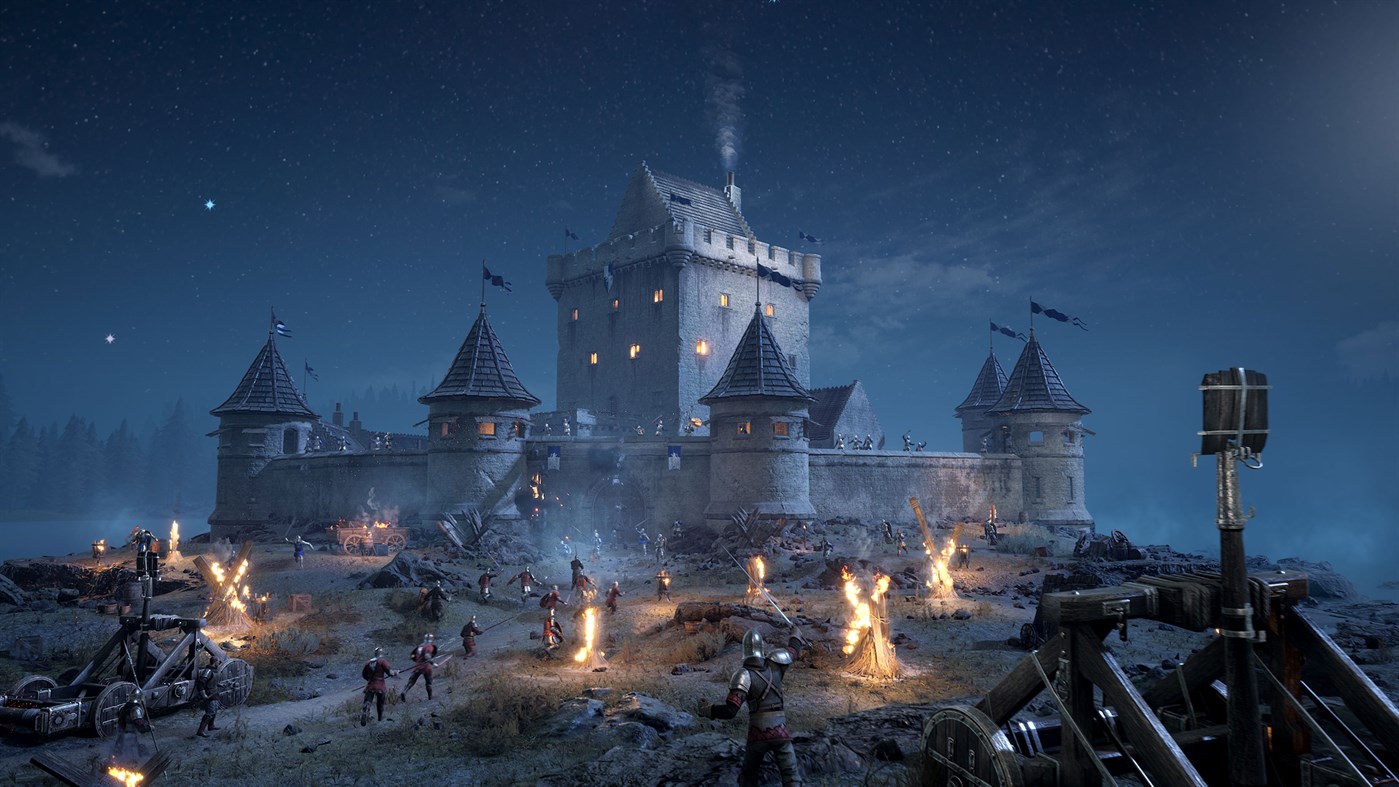
Chivalry 2 isn’t just another shooter — it’s a full-scale medieval war simulator. 64-player Team Objective modes see you storming castles, defending bridges, or burning villages in massive sieges. Classes range from nimble archers and vanguard knights to heavy footmen and engineers building catapults.

Crossplay shines here. A full party of friends can coordinate epic flanking maneuvers or hold a chokepoint together. The chaos of 64 players from mixed platforms creates unforgettable moments — one second you’re trading sword blows with a PS5 player, the next you’re getting yeeted by an Xbox archer.
The game’s physics-based combat, destructible environments, and hilarious ragdoll deaths keep sessions fresh even in 2026. If you love large-scale battles, don’t miss our 30 great PlayStation 5 games to experience in 2026 list — Chivalry 2 earns a spot every time.
Benefits of Chivalry 2 Crossplay
- Massive player base: No more empty lobbies.
- Play with anyone: Friends on different consoles or PC? No problem.
- Faster matchmaking: More platforms = quicker queues.
- Diverse skill levels: Console players bring controller flair; PC players bring precision (though the game balances reasonably well).
- Community growth: Crossplay keeps the medieval meme culture alive across platforms.
Compared to single-platform games, Chivalry 2 feels alive. For perspective, read our Do PCs or consoles provide a better gaming experience? analysis.
Common Issues and How to Fix Them
While generally excellent, some players report:
- Invite code delays — Ensure both are online and restart the client.
- PC input advantage — Mouse/keyboard feels snappier; consoles use aim assist. The community adapts.
- Voice chat glitches — Use Discord as backup.
- Party disbanding — Rare, but re-adding codes usually fixes it.
Overall, issues are minimal in 2026. The game’s active development keeps crossplay polished.

Is Chivalry 2 Still Worth Playing in 2026?
Absolutely. Regular updates, new maps, balance patches, and a passionate community keep it relevant. Crossplay ensures you’ll always find a match. If you’re into RPG-style progression or story-driven games, pair it with our The 25 greatest RPGs games for gamers recommendations.
FAQs
Is Chivalry 2 crossplay between PC and consoles?
Yes full crossplay is supported between PC (Steam/Epic), PS4/PS5, and Xbox One/Series X|S.
Can PS5 players play with Xbox players in Chivalry 2?
Yes, seamlessly. Crossplay works across all listed platforms.
How do I add friends for crossplay in Chivalry 2?
Use the Invite Code system in the Social menu. Exchange codes, add each other, then invite to party.
Does Chivalry 2 have cross-progression?
No official cross-progression exists yet, though your cosmetic unlocks stay tied to your account per platform.
Are there any platform-specific restrictions?
Minor PC-to-PC party limitations between Steam and Epic exist in rare cases, but lobbies remain fully mixed.
