

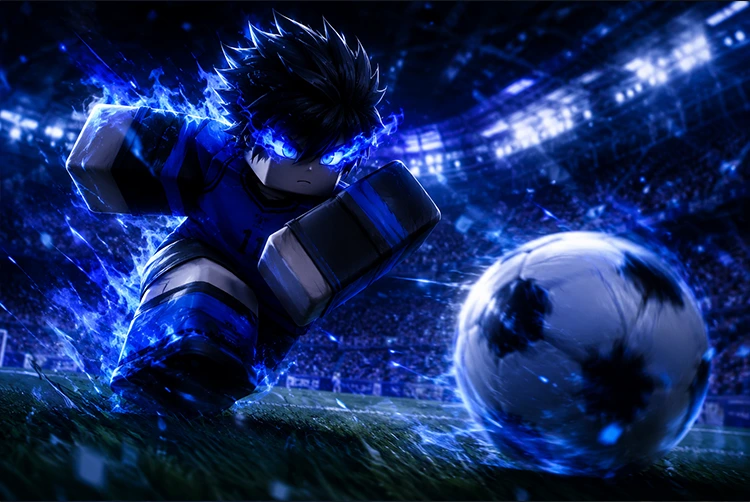
Azure Latch is one of the most popular Blue Lock-inspired football games on Roblox right now, and its developer Twi Game drops codes regularly to reward the growing community. These Azure Latch codes hand out free Style Coins, Cash, and exclusive emotes that normally take serious grinding or real money to unlock. Using them is the fastest way to get cool animations, celebration moves, and playstyles without spending a single Robux.
If you enjoy Roblox sports games and want more freebies, our roundup of the best free browser games at Playhop has plenty of similar games worth exploring alongside Azure Latch. And for fans of anime-inspired Roblox games who want to explore the wider universe, our Nezuko Kamado character guide and top Demon Slayer characters ranked cover the anime that inspired many of the top Roblox titles right now.
Before You Redeem The Prerequisites You MUST Complete First
This is the step that trips up most players. Azure Latch codes will not work unless you have completed the following prerequisites before attempting redemption. If you skip these, your code will fail even if it is perfectly valid.
Prerequisite 1 — Like the Azure Latch game on Roblox Open the Azure Latch game page on Roblox and click the thumbs-up (Like) button. This is required for code redemption and cannot be bypassed.
Prerequisite 2 — Join the Twi Game Roblox Group Click on the game developer name “Twi game” under the game title on the Azure Latch page and join the developer’s Roblox group. This group membership is verified when you attempt to redeem codes without it, the Redeem button will not process your submission.
Why these requirements exist: The developer uses Likes and Group membership as a way to grow the game’s community presence on Roblox’s algorithm. This is standard practice for Roblox game developers and is the exchange for the free rewards codes provide.
All Working Azure Latch Codes May 2026
These codes have been tested and verified as active as of the first week of May 2026. Redeem them immediately Azure Latch codes expire without warning, and there is no advance notice of when a code will stop working.
🆕 Newest Code May 2026
| Code | Reward |
|---|---|
| SOCCERISTHISSERIOUSBTW | Free Cash (from Mini Update, May 6, 2026) |
All Currently Active Codes
| Code | Reward |
|---|---|
| SOCCERISTHISSERIOUSBTW | Free Cash Mini Update reward |
| SORRYFORDELAY | Free Cash |
| KIYORAUPDATE | Free Cash / Style Coins |
| GIMMEDINERO | Free Cash (dinero = money) |
| ADDITIONALTIME | Free Cash |
| THOSEWHOSPIN | Free Spins / Cash |
| ULTRASADIST | Free Cash |
| HIORIUPDATE | Free Cash |
| NELISAGIREVAMP | Free Cash |
| TheAceEater | 10,000 Style Coins |
| GambleShot | Free Cash |
| LetsGoUbers | Free Cash |
| MetaGenius! | Free Cash |
| KunigamiRework! | Free Cash |
| CHOMPCHOMP! | Free Cash |
| MYANIMEFANSMAN | My Anime Fans Man Emote |
| BROTHERNOAH | Brother Noah Emote |
| CALLMETHECHAMELEON | Free Cash |
| OOPS! | Free Cash |
| illbeatyouup | Free Cash |
| FeelingSharky | Free Cash |
| WaiterWaiterMoreOnionRings | Free Cash |
Important: Code redemption is case-sensitive for some entries. Copy codes exactly as shown including exclamation marks and capital letters where present. Mistyping by even one character will cause the code to fail, which many players mistake for an expired code.
How to Redeem Azure Latch Codes Step by Step
Once you have completed the prerequisites above (Like the game + Join the Twi Game group), follow these exact steps:
Step 1: Launch Azure Latch on Roblox through the Roblox player or browser client.
Step 2: Wait for the game to fully load and place you on the main screen.
Step 3: Click the Menu button located at the bottom center of your screen. This opens the main options panel.
Step 4: From the Menu panel, click on the Rewards tab. This is where all code redemption happens.
Step 5: In the text box that appears at the top-left corner of the Rewards window, type or paste your code. Use copy-paste to avoid typos on codes with unusual characters or mixed capitalization.
Step 6: Click the Redeem button to submit your code.
Step 7: If the code is valid and you have completed the prerequisites, your reward will be added to your account immediately. Style Coins and Cash appear in your currency balance; emotes appear in your emote collection.
Troubleshooting Why Your Code Is Not Working
“Code invalid” error: The code has most likely expired. Azure Latch codes expire without notice. Check this page for the current active list and try a different code.
Code valid but not processing: You have not completed the prerequisites. Return to the Azure Latch Roblox page, Like the game, and join the Twi Game group. Then relaunch and try again.
Code entered correctly but rejected: Check for case sensitivity. Codes with exclamation marks (CHOMPCHOMP!, KunigamiRework!, MetaGenius!) require the ! character to be included. Codes with mixed case like “TheAceEater” must be entered with exact capitalization.
Code says already redeemed: Each code can only be redeemed once per account. You have already used this code previously it won’t give additional rewards on the same account.
All Expired Azure Latch Codes Do Not Attempt
These codes no longer work. They are archived here so you can quickly identify them and avoid wasting time attempting to redeem them:
| Expired Code | Previous Reward |
|---|---|
| THEGAMEBREAKSONCEAGAIN | Free Cash |
| WINTERUPDATE2025 | Winter Event Cash |
| AJOLLYDAYISCOMING | Holiday Event Cash |
| merrychristmas2025nov | Holiday Cash |
| happylatehalloween2025 | Halloween Event Cash |
| waiterwaitermorenelisagichanges | Free Cash |
| RankedRelease | Free Cash |
| 11v11Comeback | Free Cash |
| MoreOnionRings20K | Free Cash (20K milestone) |
| NoMorePest | Free Cash |
| TheProdigyRefreshed | Free Cash |
| PartOneOfTwo | Free Cash |
What Is Azure Latch? Full Game Guide
For players who are new to Azure Latch and want to understand what they’re actually playing alongside the free codes, here is a complete breakdown of what the game offers.
The Blue Lock Connection
Azure Latch is a Roblox football game directly inspired by the hit anime and manga series Blue Lock. The anime follows the eccentric football genius Jinpachi Ego, who locks 300 of Japan’s top youth strikers in a facility called Blue Lock a specialized training program designed to forge the world’s greatest egoist striker through brutal competition and elimination.
Azure Latch brings this premise to Roblox in playable form. You are one of Ego’s unpolished gems, starting with nothing and building toward becoming Japan’s number-one striker through performance on the pitch, unlocking new playstyles, and showcasing increasingly spectacular skills. The game captures the anime’s emphasis on individual skill, ego, and the relentless pursuit of being the best player on the field.
Core Gameplay Loop
Match Format: Azure Latch runs 5v5 matches and 11v11 matches (11v11 mode was added in a previous update). You select your position before entering a match striker, midfielder, defender, goalkeeper and your chosen position influences how your base stats are distributed.
Earning In-Game Currency: Every match generates Cash based on your performance. Goals, assists, and successful defensive plays all contribute to your earnings. The more impactful your individual performance, the more Cash you accumulate per session.
Spending Currency: Cash and Style Coins are spent in the shop on:
- Playstyles — gameplay animations and ability modifiers that reflect specific Blue Lock characters’ playing styles. Kaiser’s playstyle, Rin’s playstyle, and others unlock distinct mechanics.
- MVP Animations — special animations that play when you are selected as the match’s MVP
- Goal Celebrations — post-goal emotes and animation sequences
- Titles — cosmetic labels displayed above your character name
Playstyle System The Core Progression
The playstyle system is the deepest mechanical element of Azure Latch. Each playstyle is tied to a character archetype from Blue Lock and provides distinct gameplay modifications:
Kaiser Playstyle: Built around dominant aerial presence and powerful shooting. Kaiser’s style favors calculated, precise strikes from specific positions rather than chaotic improvisation.
Rin Playstyle: Technical skill, precise dribbling, and surgical passing. Rin’s style rewards players who maintain control and create opportunities through combination play.
Kiyora Playstyle: Speed-focused and dynamic. The Kiyora Update introduced this style alongside significant game system changes.
Hiori Playstyle: Support-oriented with unique passing mechanics. Hiori’s in-game implementation reflects his analytical approach to creating goal opportunities for others.
Spinning/Roll mechanics: Some playstyles feature spin mechanics that allow evasive movement during ball possession. The code THOSEWHOSPIN specifically references this mechanic, suggesting the developer has a sense of humor about which players favor the spin option.
The Shop and What Style Coins Buy
Style Coins are the secondary currency separate from Cash. Style Coins purchase:
- Higher-rarity playstyle rolls (spins for rare character playstyles)
- Exclusive cosmetic items unavailable with standard Cash
- Special emotes tied to specific characters or events
Style Coins are harder to earn through regular gameplay than Cash which is why code rewards like TheAceEater’s 10,000 Style Coins are particularly valuable. A single code can provide enough Style Coins for multiple spin attempts at rare playstyles.
5v5 vs 11v11 Matches
The 11v11 mode (added in the 11v11Comeback update, which also had its own code) is the more chaotic, less individually impactful format. Individual skill matters less when 22 players are on the pitch simultaneously. 5v5 is where individual playstyle differences are most apparent and where working on your specific position’s mechanics produces the clearest results.
Ranked Mode
Ranked mode was added in a previous update (the code RankedRelease commemorated its launch). Ranked places you in competitive matches where your performance contributes to a visible rating, adding stakes to every game you play and distinguishing casual play from competitive progression.
How to Find New Azure Latch Codes Before Anyone Else
Codes in Azure Latch are released irregularly no fixed schedule, no advance announcement. The developer Twi game releases codes to celebrate milestones, character updates, game events, and community growth moments. Understanding where to look puts you ahead of players who are scrambling after a code has already expired.
The Official Discord Server Fastest Source
The Azure Latch Discord server is the primary release channel for new codes. When a code goes live, it typically appears in the #updates or #codes channel of the official Discord before anywhere else. Join the server by searching for Azure Latch on Discord or via the link shared on the official Roblox group page.
Set Discord notifications for the codes or updates channel specifically not the entire server to avoid notification overload while still catching every code announcement in real time.
The Twi Game Roblox Group
The same group you had to join as a prerequisite for code redemption is also one of the earlier announcement channels for new codes. Check the group’s announcements and shout section when you boot up the game for new releases you might have missed.
Update Recognition Code Patterns
Azure Latch codes follow a pattern of releasing alongside updates. Every time a major update goes live a new character’s playstyle, a ranked system change, a seasonal event a new code typically follows. The code names themselves usually reference the update content:
- KIYORAUPDATE = Kiyora playstyle update
- HIORIUPDATE = Hiori playstyle update
- NELISAGIREVAMP = Nelisagi character revamp
- KunigamiRework! = Kunigami character rework
- 11v11Comeback = 11v11 mode return
- WINTERUPDATE2025 = Winter 2025 seasonal content
When you see a major content announcement on the Discord or group, immediately check for a matching code it may have been released simultaneously.
Milestone Codes
The developer also releases codes when the game hits player or follower milestones:
- MoreOnionRings20K = 20,000 community milestone (the “onion rings” references Ego’s infamous monologue about eating onion rings in Blue Lock)
- Future milestone codes will likely follow a similar naming pattern
Azure Latch Tips and Tricks Get More From Your Free Rewards
Getting the codes redeemed is step one. Spending those Style Coins and Cash effectively is step two.
Prioritize Playstyle Spins Over Cosmetics
The most impactful use of Style Coins is playstyle rolls, not cosmetic purchases. A better playstyle changes how your character performs on the pitch animations, move speeds, and ability types that align with your position and preferred play approach. Cosmetics only affect how you look.
If you are new to the game, spend your first few hundred Style Coins on spins to sample different playstyles before settling on one to develop. Different playstyles feel dramatically different in 5v5 matches, and finding the one that matches your instincts produces noticeably better results.
Save Cash for Seasonal Releases
Azure Latch periodically releases limited-time playstyles and emotes tied to seasonal events (the merrychristmas2025nov and happylatehalloween2025 codes suggest active seasonal content cadence). If you spend all your Cash immediately on standard shop items, you’ll have nothing when a limited seasonal release appears.
Maintaining a buffer of 5,000–10,000 Cash gives you spending power when time-limited content drops unexpectedly.
Position Specialization Beats Generalism
In 5v5 matches, every player matters more than in 11v11. Pick one position, develop that position’s playstyle mechanics, and master the specific movement and positioning patterns that make that position effective. A specialist striker who understands their chosen playstyle’s shot windows will outscore a generalist who switches positions constantly.
Use Codes for Style Coins First
When a new code drops offering either Cash or Style Coins, prioritize the Style Coin codes. Cash can be earned from playing matches. Style Coins have no reliable in-game earning method beyond code redemption they are primarily a premium currency for which codes represent the most accessible free source.
Azure Latch Game Information Quick Reference
| Detail | Information |
|---|---|
| Game Name | Azure Latch |
| Platform | Roblox |
| Developer | Twi Game |
| Genre | Sports / Football / Anime-inspired |
| Inspiration | Blue Lock (anime/manga series) |
| Match Formats | 5v5, 11v11 |
| Primary Currency | Cash |
| Secondary Currency | Style Coins |
| Code Redemption Location | Menu → Rewards tab |
| Latest Update | Mini Update (May 6, 2026) |
| Official Discord | Available via Roblox group page |
| Official Trello | Available contains full wiki, rules, FAQs |
| Code Prerequisites | Like game + Join Twi Game group |
Frequently Asked Questions
What are Azure Latch codes?
Azure Latch codes are promotional codes released by developer Twi Game that provide free in-game rewards primarily Cash and Style Coins used to purchase playstyles, animations, emotes, and cosmetics without grinding or spending Robux.
How often are new Azure Latch codes released?
There is no fixed schedule. Codes are typically released alongside major content updates, seasonal events, and community milestone celebrations. Following the official Discord and Roblox group is the most reliable way to catch codes as they appear.
Do Azure Latch codes expire?
Yes. All Azure Latch codes expire, and the expiration date is not communicated in advance. Codes should be redeemed immediately after discovery to avoid missing the reward window.
Can I redeem the same code twice?
No. Each code can only be redeemed once per Roblox account. If you receive an “already redeemed” message, you have used this particular code previously on the same account.
Why isn’t my Azure Latch code working?
The most common reasons are: the code has expired, you have not joined the Twi Game Roblox group, you have not liked the Azure Latch game, or you have a typo in the code. Complete the prerequisites first, then try copying and pasting the code exactly as shown.
