

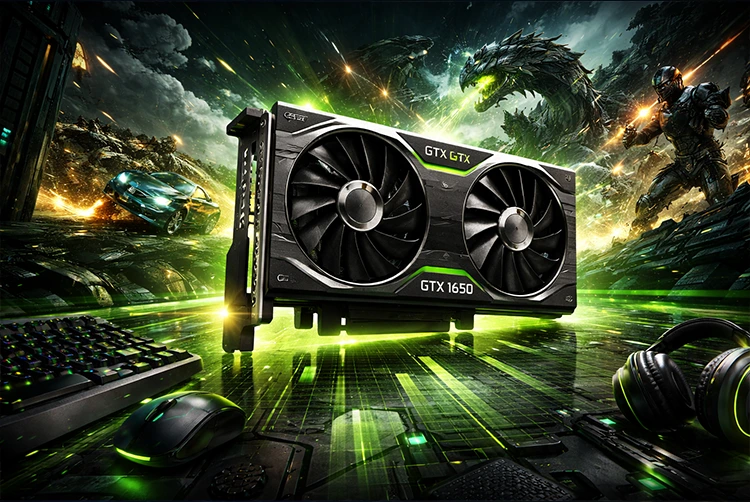
It launched in April 2019 with a $149 price tag, no external power connector required, and a promise to bring smooth 1080p gaming to budget builds everywhere. Seven years later, the GTX 1650 is still running on millions of desktops and laptops worldwide still getting driver updates from Nvidia, still handling esports and older AAA games without complaint, and still showing up in budget prebuilts being sold right now.
That longevity is either a testament to how well-designed the card was or a sign that the budget GPU market has stagnated. Probably a bit of both.
GTX 1650 Full Specifications
The GTX 1650 is built on Nvidia’s Turing architecture using the TU117 die a stripped-down version of the TU116 chip that powers the GTX 1660 family. It was manufactured on TSMC’s 12nm process with 4.7 billion transistors packed into a compact 200mm² die.
| Spec | GTX 1650 (GDDR5) | GTX 1650 (GDDR6) |
|---|---|---|
| Architecture | Turing (TU117) | Turing (TU117) |
| CUDA Cores | 896 | 896 |
| Base Clock | 1485 MHz | 1410 MHz |
| Boost Clock | 1665 MHz | 1590 MHz |
| VRAM | 4GB GDDR5 | 4GB GDDR6 |
| Memory Bus | 128-bit | 128-bit |
| Memory Bandwidth | 128 GB/s | 192 GB/s |
| TDP | 75W | 75W |
| Power Connector | None required | None required |
| Launch Price | $149 | $149 |
| API Support | DirectX 12, Vulkan, OpenGL 4.6 | DirectX 12, Vulkan, OpenGL 4.6 |
| Display Outputs | HDMI 2.0b, DisplayPort 1.4, DVI | HDMI 2.0b, DisplayPort 1.4, DVI |
Important note: Unlike the RTX 20-series Turing cards, the GTX 1650 does not include RT (ray tracing) cores or Tensor (AI/DLSS) cores. It is the Turing architecture without the premium features which is why it carried the GTX label instead of RTX and came in at a much lower price point.
GTX 1650 Variants There Are More Than You Think
This is one of the most confusing GPUs Nvidia has ever released in terms of naming. The “GTX 1650” label has been applied to multiple cards with meaningfully different silicon underneath, and if you’re buying secondhand, knowing which variant you’re getting matters.
GTX 1650 GDDR5 (Original TU117)
The original launch card from April 2019. Uses TU117 silicon with 8 Gbps GDDR5 memory delivering 128 GB/s of bandwidth. This is the most common variant and the baseline for all GTX 1650 benchmarks. It also uses the older Volta-era NVENC video encoder rather than the updated Turing encoder relevant if you use Nvidia’s encoder for streaming or recording.
GTX 1650 GDDR6 (Refreshed TU117)
A memory upgrade released in late 2019/early 2020. Same TU117 die, same CUDA core count, but with 12 Gbps GDDR6 memory that bumps bandwidth to 192 GB/s a 50% increase. Real-world gaming performance improves by around 10–14% over the GDDR5 version in memory-sensitive games. Still uses the older Volta NVENC encoder despite the memory upgrade.
GTX 1650 GDDR6 (TU116 variant)
A later revision using the TU116 die (the same silicon as the GTX 1660 family, just heavily cut down). Same CUDA core count on paper but benefits from the updated Turing NVENC encoder. Primarily a stream-quality improvement for content creators. Performance is similar to the TU117 GDDR6 version.
GTX 1650 Super
Technically a different card and a significant step up uses a wider TU116 die with 1280 CUDA cores instead of 896, GDDR6 memory, and a 128-bit bus running at 12 Gbps. Performance is roughly 25–30% faster than the base GTX 1650. If you’re shopping used and the price difference is small, always choose the Super. The tradeoff is that it requires a 6-pin power connector (100W vs 75W), so check your PSU.
GTX 1650 Mobile / Max-Q
Laptop variants use the same TU117 chip with up to 1024 CUDA cores (the full die, slightly less cut down than the desktop version). Max-Q versions are thermally limited to 35W for thin and light laptops. Mobile performance is generally 15–25% lower than the desktop card depending on the laptop’s cooling and power delivery.
Bottom line when buying used: Confirm whether you’re getting GDDR5 or GDDR6. The GDDR6 version is worth prioritizing if the price difference is minimal. If the listing just says “GTX 1650,” ask or check the product sticker.
GTX 1650 Gaming Performance in 2026 Real-World Benchmarks
The GTX 1650 was designed for 1080p gaming at medium-to-high settings. In 2026, that use case hasn’t changed but the games have gotten a lot heavier. Here’s where it stands today:
Esports and Competitive Titles Excellent
This is where the GTX 1650 still genuinely excels. Competitive games are optimized for high frame rates over visual complexity, and they run beautifully on this card:
- Valorant — 100–160+ FPS at 1080p high settings
- CS2 (Counter-Strike 2) — 80–120 FPS at 1080p medium settings
- Fortnite (Performance Mode) — 90–140+ FPS at 1080p low-medium
- Apex Legends — 70–100 FPS at 1080p medium
- Rocket League — 100–150+ FPS at 1080p high
- Overwatch 2 — 80–110 FPS at 1080p medium
If competitive gaming at 1080p is your main use case, the GTX 1650 handles it without drama in 2026. You won’t hit the 144Hz ceiling on demanding scenes, but 60–100 FPS is consistently achievable.
Older AAA and Mid-Gen Titles Decent
For games released before 2022, the GTX 1650 holds up reasonably well at 1080p with settings adjustments:
- The Witcher 3 (no RT) — 55–70 FPS at 1080p medium
- GTA V — 70–90 FPS at 1080p high
- Red Dead Redemption 2 — 35–50 FPS at 1080p low-medium
- Cyberpunk 2077 (no RT) — 30–45 FPS at 1080p low settings
- Minecraft (with shaders) — 40–60 FPS depending on shader pack
Modern AAA Titles (2023–2026) Struggling
This is where the GTX 1650 starts to show its age. Games built on Unreal Engine 5 and modern engines with large texture budgets push against both the CUDA core count and the 4GB VRAM ceiling hard:
- Black Myth: Wukong — 15–25 FPS at 1080p low settings essentially unplayable
- Alan Wake 2 — 20–30 FPS at 1080p low struggles severely
- Hogwarts Legacy — 35–50 FPS at 1080p low-medium
- The Last of Us Part I (PC) — 30–45 FPS at 1080p low
The 4GB VRAM ceiling is a hard wall in 2026. Modern AAA games regularly exceed that at 1080p medium-to-high settings, forcing the card to pull data from system RAM across the PCIe bus causing the stutters and hitches that feel worse than low frame rates.
Ray Tracing Not Supported
The GTX 1650 has no hardware RT cores, so real-time ray tracing is not an option. Software-emulated ray tracing (DXR via shader cores) exists in theory but delivers completely unplayable performance. Ray tracing is a non-starter on this card.
DLSS Not Supported
The GTX 1650 also lacks Tensor cores, meaning Nvidia DLSS is not available. Nvidia Image Scaling (NIS) is supported as a driver-level spatial upscaler and can provide a small frame rate boost, but it’s not comparable to DLSS quality.
The good news is that AMD FSR 2/3 (FidelityFX Super Resolution) does not require specific hardware and works on any GPU, including the GTX 1650. In games that support FSR, enabling it at Quality or Balanced mode can reclaim 15–30% performance which makes a real difference when you’re trying to push marginal frame rates into playable territory.
GTX 1650 vs GTX 1650 Super Which Should You Buy?
This comparison comes up constantly, and the answer is almost always the same: get the Super if you can.
The GTX 1650 Super uses a wider TU116 die with 1280 CUDA cores (43% more than the base 1650’s 896), GDDR6 memory with higher bandwidth, and a full-speed 128-bit bus. It’s consistently 25–30% faster in games. The only meaningful drawback is the 6-pin power connector requirement, which adds a 100W power draw versus the base 1650’s 75W.
If your system has a 300–350W PSU without any spare PCIe connectors, the base GTX 1650 is your only option in the GTX 16-series. But if your power supply can support it, the Super is the better card by a clear margin and typically sells for similar used prices in 2026.
For a detailed head-to-head breakdown of the GTX 1650 against more recent cards, our RTX 4060 vs RTX 4070 comparison shows just how much the GPU landscape has shifted since the GTX 16-series launched.
GTX 1650 Power and Thermal Performance
One of the GTX 1650’s genuine selling points then and now is its power efficiency. At 75W TDP, it draws all the power it needs directly from the PCIe slot on most models, meaning no external power connector is required. This makes it ideal for:
- Small form factor (SFF) builds with compact PSUs
- Upgrading an old office PC or prebuilt with a weak PSU
- Systems where cable management is a concern
- Slim desktop (SFF) chassis with limited power headroom
Under gaming load, most GTX 1650 cards draw between 60–70W in practice. Thermals depend heavily on the cooler design single-fan models in poorly ventilated cases will run hotter and louder, while dual-fan designs stay comfortable under load.
If your PC has a 300–400W PSU and you want a GPU upgrade without touching your power supply, the GTX 1650 remains one of the very few discrete GPUs that requires nothing from your PSU beyond the slot itself.
GTX 1650 and VRAM The 4GB Problem in 2026
The GTX 1650 has 4GB of VRAM. In 2019, that was adequate for 1080p gaming. In 2026, it has become the card’s defining limitation.
When the data your GPU needs fits comfortably in VRAM, everything runs smoothly. When it doesn’t, the GPU starts using your system memory instead and that’s when things promptly get bad. Modern AAA games can hit the 4GB ceiling even at 1080p with medium-to-high textures enabled. When that happens, you don’t just get lower frame rates you get the micro-stutters and texture pop-ins that make gameplay feel broken even if the FPS counter looks acceptable.
The fix, if you’re keeping the card, is to treat texture quality as your primary setting. Dropping from Ultra to High textures saves 2–4GB in most games and looks nearly identical unless you’re pixel-peeping. That single setting change is the most effective way to stay within the 4GB budget.
Shadow quality is the next lever. Ultra shadows consume significantly more VRAM than medium, and the visual difference beyond 20 feet of draw distance is minimal during actual gameplay. Drop shadows before adjusting anything else.
For more on how VRAM affects gaming performance and what the numbers mean in practice, our full VRAM guide explains the mechanics in plain language.
Is the GTX 1650 Worth Buying in 2026?
This depends entirely on your situation. Here’s the honest breakdown:
If you already own a GTX 1650:
Keep it if you play competitive esports games at 1080p. It handles Valorant, CS2, Fortnite, and Apex well and will continue to do so for the foreseeable future. If you’ve started playing modern AAA single-player games and are frustrated by low frame rates or stuttering, it’s time to upgrade.
If you’re buying a GPU right now:
Don’t buy a new GTX 1650 in 2026. Nvidia has moved far beyond this generation the RTX 3050 (6GB), Intel Arc B570, and AMD RX 7600 all offer dramatically better performance with more VRAM for similar or slightly higher used prices. The GTX 1650 is no longer competitive as a purchase choice.
If you’re buying used on a very tight budget:
A GTX 1650 GDDR6 for under $60–70 used is still a defensible purchase for a budget esports setup or an office PC refresh. At that price point, for someone who mainly plays Fortnite, Minecraft, or older titles, it gets the job done. Just go in with realistic expectations about modern AAA performance.
Power-constrained systems:
The 75W no-connector design remains genuinely useful in 2026 for SFF builds and PSU-limited upgrades. If your system truly cannot support a card with a 6-pin connector, the GTX 1650 and Intel Arc A380 are about the only real options in the discrete GPU space.
GTX 1650 vs Nearby GPUs Quick Comparison
| GPU | VRAM | Approx. Used Price | Relative Performance vs GTX 1650 |
|---|---|---|---|
| GTX 1650 (GDDR5) | 4GB | ~$50–70 | Baseline |
| GTX 1650 GDDR6 | 4GB | ~$60–80 | +10–14% |
| GTX 1650 Super | 4GB | ~$80–100 | +25–30% |
| GTX 1660 Super | 6GB | ~$100–130 | +55–65% |
| RTX 3050 (6GB) | 6GB | ~$120–150 | +60–70% |
| Intel Arc B570 | 10GB | ~$170–200 new | +100–120% |
| RX 7600 | 8GB | ~$180–220 new | +130–150% |
The jump from the GTX 1650 to the GTX 1660 Super is particularly significant. More VRAM, significantly more raw performance, and still power-efficient enough for most budget systems. If you’re upgrading from a GTX 1650 and have a 350W+ PSU, the 1660 Super or an RTX 3050 6GB represent the best performance-per-dollar step up.
If you’re building a new gaming PC from scratch, our gaming PC build guides walk through balanced builds at every budget level including pairing the right GPU with a matching CPU.
Best Settings for GTX 1650
Getting the most out of the GTX 1650 in modern games comes down to a few key principles:
1. Set texture quality to Medium or High, never Ultra. Ultra textures in modern games are often 8GB+ in budget, which immediately causes VRAM overflow on a 4GB card. High textures are visually close to Ultra and stay within budget.
2. Enable AMD FSR (where supported). FSR doesn’t require AMD hardware and works on the GTX 1650. At FSR Quality mode, image quality is solid and frame rates improve meaningfully.
3. Disable or minimize ray tracing. Not hardware-accelerated on the GTX 1650, and even software DXR will crush performance. Always off.
4. Lower shadow distance before lowering shadow quality. Shadow draw distance is expensive. Pulling it from Ultra to High or Medium reclaims frames with minimal visual impact during gameplay.
5. Use Nvidia Image Scaling (NIS) as a last resort. Render at 85% resolution with NIS sharpening enabled to gain 10–15% more performance. Visually softer than native but better than dropping other settings aggressively.
6. Disable in-game overlays. Discord, GeForce Experience, and browser overlays eat VRAM-adjacent resources. Close them during heavy gaming sessions.
For more detailed optimization advice, our guide to PC gaming optimization tips covers system-wide settings that pair well with a budget GPU.
GTX 1650 Driver Support How Long Will It Last?
As of April 2026, Nvidia continues to issue driver updates that include the GTX 1650. The card supports the full WDDM 3.x driver stack, DirectX 12 Ultimate (feature level 12_1), Vulkan 1.3, and OpenGL 4.6.
Nvidia has not announced an end-of-life date for GTX 16-series support, but given that the GTX 10-series (Pascal) still receives security and compatibility updates years after its launch, GTX 1650 owners can reasonably expect continued driver support for at least another 2–3 years. Performance-enhancing driver optimizations for brand-new games become less common for older cards over time, but basic compatibility updates are likely to continue.
GTX 1650 Quick Specs Reference
| GPU | Nvidia GeForce GTX 1650 |
| Architecture | Turing (TU117) |
| Launch Date | April 23, 2019 |
| Launch Price | $149 USD |
| CUDA Cores | 896 |
| VRAM | 4GB GDDR5 or GDDR6 |
| Memory Bus | 128-bit |
| TDP | 75W |
| Power Connector | None (most models) |
| DLSS | Not supported |
| Ray Tracing HW | Not supported |
| FSR | Supported (any GPU) |
| NIS | Supported |
| API Support | DX12, Vulkan 1.3, OpenGL 4.6 |
FAQs
Is the GTX 1650 good for gaming in 2026?
For esports and competitive titles at 1080p yes, it’s still solid. For modern AAA games released in 2023–2026, it struggles significantly, especially with the 4GB VRAM limit hitting textures and memory streaming hard. Set expectations accordingly.
Does the GTX 1650 support ray tracing?
No. The GTX 1650 is based on Turing architecture but does not include RT cores. Hardware-accelerated ray tracing is exclusive to RTX-series cards (RTX 20-series and newer).
Does the GTX 1650 support DLSS?
No. DLSS requires Tensor cores, which are not present in the GTX 16-series. AMD FSR (FidelityFX Super Resolution) is a free alternative that works on any GPU, including the GTX 1650.
What is the difference between GTX 1650 GDDR5 and GDDR6?
The GDDR6 variant has 192 GB/s of memory bandwidth versus 128 GB/s on the GDDR5 version — a 50% increase. Real-world gaming improvement is around 10–14% in memory-sensitive titles. Both have identical CUDA core counts and 4GB capacities.
What should I upgrade to from a GTX 1650?
The most natural upgrades in 2026 are the GTX 1660 Super (6GB, used market), the RTX 3050 (6GB), or the Intel Arc B570 (10GB). All three offer significantly more VRAM and raw performance for relatively modest cost increases.
Final Verdict
The GTX 1650 is a well-built entry-level GPU that did exactly what it was designed to do and for competitive gaming at 1080p, it still does that job in 2026. Valorant, CS2, Fortnite, Apex, Rocket League these titles run smoothly, and for that audience, the card has no urgent expiry date.
For everyone else modern AAA gaming, ray tracing, 1440p aspirations, content creation the 4GB VRAM ceiling and absent RT/DLSS support mean the GTX 1650 is running on borrowed time. It’s not broken. It just wasn’t built for what gaming looks like in 2026.
