

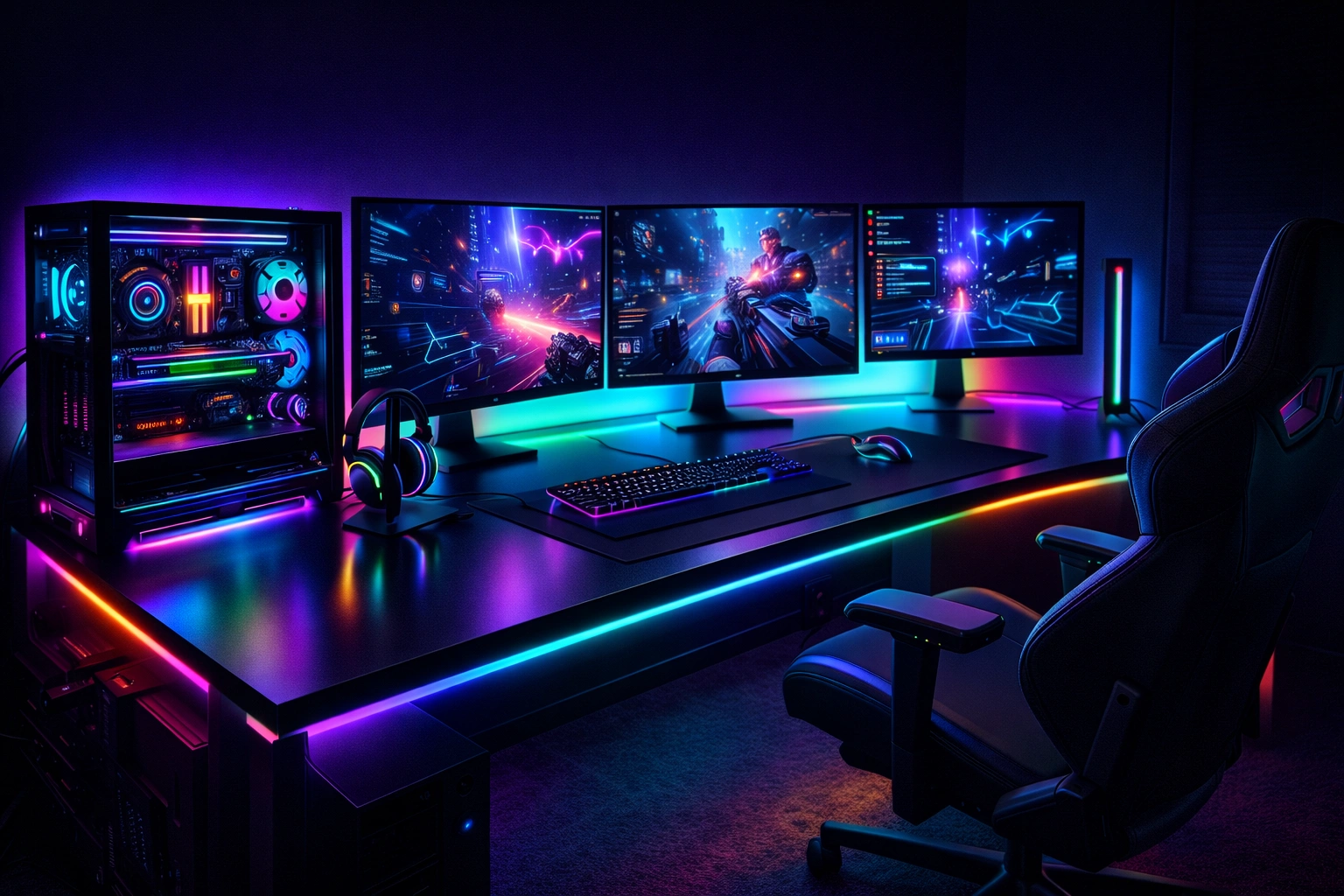
A best RGB gaming setup is no longer just about flashy lights it’s about creating an immersive environment that enhances focus, comfort, and overall gaming experience. From synchronized lighting to performance-focused hardware, a well-designed RGB setup can transform your desk into a next-level gaming command center.
What Makes the Best RGB Gaming Setup?
A top-tier RGB gaming setup balances aesthetics, performance, and usability. It’s not about adding RGB everywhere it’s about choosing the right components that work together seamlessly.
A great RGB setup includes:
RGB-compatible PC components
Smart lighting synchronization
Clean cable management
Functional accessories with subtle lighting
A color theme that matches your gaming style
Core Components of an RGB Gaming Setup
RGB Gaming PC (The Heart of the Setup)
Your PC is the visual centerpiece. A tempered-glass case with coordinated RGB lighting instantly elevates your setup.
Key RGB PC elements:
RGB RAM (DDR4 or DDR5 depending on platform)
RGB GPU accents or support brackets
RGB fans with synchronized lighting
RGB CPU cooler (air or liquid)
If you’re choosing parts for a new build, make sure your motherboard supports unified RGB control. Hardware compatibility is especially important when selecting gaming motherboards designed for performance and aesthetics.
RGB RAM: Looks + Performance
Modern RGB RAM kits not only look great but also deliver excellent gaming performance. Whether you’re running DDR4 or DDR5, RGB memory adds visual depth without sacrificing speed.
For gamers wondering which memory type makes sense:
DDR4 RGB kits offer excellent value
DDR5 RGB kits provide better future-proofing
Your choice should align with your CPU and motherboard platform, similar to how you’d decide between AMD or Intel for gaming.
RGB Fans and Cooling
RGB fans play a dual role—cooling your system and defining the visual tone of your setup.
Best practices:
Use matching fan models for uniform lighting
Position intake and exhaust fans strategically
Sync colors based on temperature or gameplay
Efficient cooling is especially important if you’re gaming at higher resolutions or running demanding titles that rely heavily on GPU performance and VRAM usage.
RGB Gaming Desk Setup Essentials
RGB Keyboard and Mouse
Peripherals are where RGB meets function. The best RGB gaming keyboards and mice offer:
Per-key lighting
Custom profiles for different games
Reactive lighting effects
These features are especially useful for competitive gaming, where visual feedback and muscle memory matter.
RGB Monitor Backlighting
Adding RGB lighting behind your monitor reduces eye strain and improves immersion. Bias lighting or addressable LED strips are ideal for:
Long gaming sessions
Dark room setups
Streamer-style aesthetics
This pairs perfectly with high-refresh-rate displays commonly used in esports and next-gen gaming.
Ambient RGB Lighting: The Secret Weapon
LED Light Strips and Panels
Ambient lighting completes the setup. Use RGB strips behind your desk, shelves, or wall-mounted panels to create depth.
Tips:
Match lighting color temperature with in-game visuals
Avoid overly bright effects
Sync lighting to audio or gameplay events
If you’re building a setup for upcoming titles and cinematic experiences, ambient RGB lighting complements high-end builds like those designed for next-generation games such as GTA 6.
Cable Management: Don’t Ruin the Look
Even the best RGB gaming setup can look messy without proper cable management.
Use:
Cable sleeves
Velcro ties
Under-desk trays
Clean wiring allows RGB lighting to shine without distractions and improves airflow.
RGB Color Themes That Actually Work
Popular RGB themes:
Cyber Blue & Purple – futuristic and calm
Red & Black – aggressive and esports-focused
White RGB – clean, premium, and minimal
Reactive RGB – changes based on game or system load
Consistency matters more than brightness. Choose a theme and stick to it across components.
Common Mistakes to Avoid in RGB Setups
Mixing too many RGB software ecosystems
Overusing rainbow effects
Ignoring performance for aesthetics
Using low-quality RGB accessories
RGB Setup for Streaming and Content Creation
If you stream or record gameplay, RGB lighting enhances on-camera visuals:
Soft background lighting improves depth
Controlled RGB reduces camera noise
Color themes strengthen branding
This is why many creators combine RGB setups with high-end GPUs and balanced systems similar to those discussed in RTX 5090 vs AMD Radeon RX 7900 XTX comparisons.
Best RGB Gaming Setup: Final Thoughts
The best RGB gaming setup isn’t about excess it’s about balance. When aesthetics, performance, and comfort align, your setup becomes more than a desk it becomes an experience.
Whether you’re a casual gamer or competitive player, a thoughtful RGB setup can elevate both immersion and enjoyment without compromising performance.
FAQs
Does RGB improve gaming performance?
No, RGB doesn’t increase FPS, but it improves immersion, comfort, and visual feedback.
Is RGB worth it for budget gaming setups?
Yes, if done selectively. Start with RGB RAM or fans instead of lighting everything.
Which RGB software is best?
That depends on your hardware brand. Using a single ecosystem ensures smoother synchronization.
Can RGB affect system temperatures?
High-quality RGB components do not negatively affect temperatures when properly installed.
Should I choose RGB before performance?
Always prioritize performance first. RGB should enhance not replace good hardware choices
