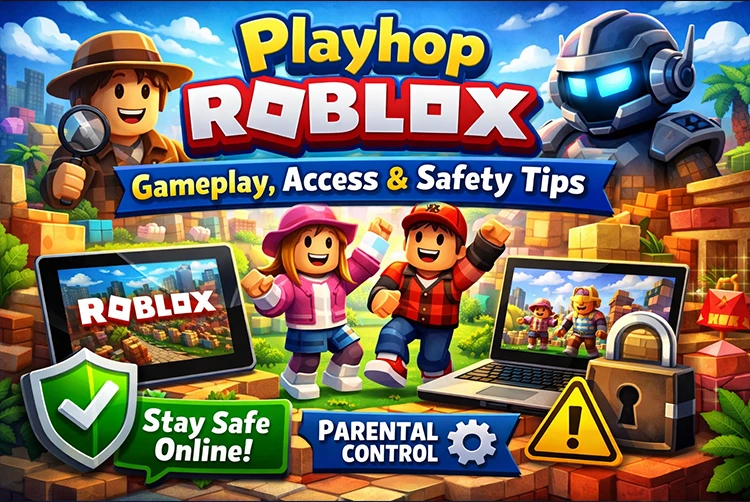
Playhop Roblox context refers to browser-based experiences on platforms like playhop.com that mimic or host Roblox-style games, often focusing on hopping challenges and obstacle courses (obbies). Players search for it amid school/work blocks on Roblox, seeking quick, no-download access to fun, addictive obby gameplay. This guide covers how to play, step-by-step access, and essential safety measures—prioritizing verified facts to help you enjoy responsibly without risks.
What Is Playhop in Roblox?
Playhop is a third-party web platform (playhop.com) offering instant browser games, including Roblox-inspired obbies and hopping adventures labeled “Playhop Roblox.” It’s not an official Roblox game or experience developed by Roblox Corporation—rather, a site aggregating similar content like platformers, often for unblocked play. Users access via game IDs (e.g., playhop.com/app/447654), jumping into challenges without apps. Popular on TikTok for quick sessions, it emulates Roblox’s user-generated style but operates independently.
Playhop Roblox Gameplay Overview
Playhop Roblox centers on classic obby mechanics: navigate obstacle courses by hopping between platforms, avoiding falls, and reaching checkpoints. Core loop: Spawn at start, jump/tap to progress through walls, gaps, and traps—falling resets sections. Modes vary by app: solo endless hops, timed challenges, or multiplayer races. Suitable for ages 8+ who enjoy casual skill tests like Roblox’s Tower of Hell or Walls Hop—simple controls (arrow keys/touch swipes) make it beginner-friendly, with progression via high scores or unlocks.
How to Access Playhop in Roblox
- Open Browser: Use Chrome/Edge on PC/mobile (no app needed).
- Visit Site: Go to playhop.com—search “Roblox” or enter app IDs like 447654.
- Launch Game: Click play; fullscreen optional.
- Play: Compatible with PC, Android/iOS browsers; consoles via remote (not native).
Account: None required—guest mode. Avoid VPNs/sites promising “Roblox login” for Playhop. For official Roblox access, stick to roblox.com; unblocked proxies in our unblocked G+ games.
Is Playhop Roblox Safe?
Playhop.com is unofficial—risks include ads, redirects, or malware from third-party hosts. No Roblox account linking needed, reducing hacks, but pop-ups may push downloads/scams. Safe if using ad-blockers (uBlock Origin) and antivirus. TikTok/YouTube clips confirm lighthearted play, but Roblox’s CEO notes platform-wide child safety issues—third-parties amplify them. Verify via HTTPS; avoid email prompts.
Common Issues Players Face
- Login Problems: No logins—ignore fake “Roblox link” pop-ups.
- Loading Errors: Clear cache, disable VPN; try incognito.
- Access Restrictions: School filters? Mirrors exist, but risky—use official Roblox.
- Fixes: Refresh, update browser; test on mobile data. Lag? Close tabs; monitor FPS with how to turn on an FPS counter in games.
Safety Tips Before Playing
- Never Share Details: No Roblox login—treat as guest.
- Avoid Downloads: Pop-ups lie; browser-only.
- Enable 2FA: On Roblox account separately.
- Official Only: Prefer roblox.com; report suspicious sites to Roblox support.
Ad-block + VPN (for access, not sites) minimizes threats.
Playhop Roblox Features
Unique: Procedural obbies with wall hops, auto-jumps, leaderboards. Visuals: Bright, cartoonish Roblox-style—platforms, neon effects. Multiplayer: Some apps race friends; mostly solo. Progression: Score multipliers, badges for beats—endless replay.
Alternatives to Playhop in Roblox
- Tower of Hell: Official obby king—random towers.
- Walls Hop: Pure hopping mastery.
- Obby But You’re on a Bike: Themed twists.
Stick to verified Roblox for safety explore via unblocked G games.
Conclusion
Playhop Roblox delivers quick obby thrills via browser, accessible sans downloads, but prioritize safety on third-party sites. Follow steps, heed tips, and enjoy responsibly—official Roblox edges for security.
FAQs
Is Playhop an official Roblox game?
No, third-party browser platform mimicking Roblox obbies.
Can you play Playhop on mobile?
Yes, browser-based, touch controls work.
Is Playhop free?
Yes, ad-supported, no purchases.
Is Playhop safe for kids?
Moderately; use ad-block, no accounts parental supervision advised.
Do you need to download anything?
No, pure browser play.