

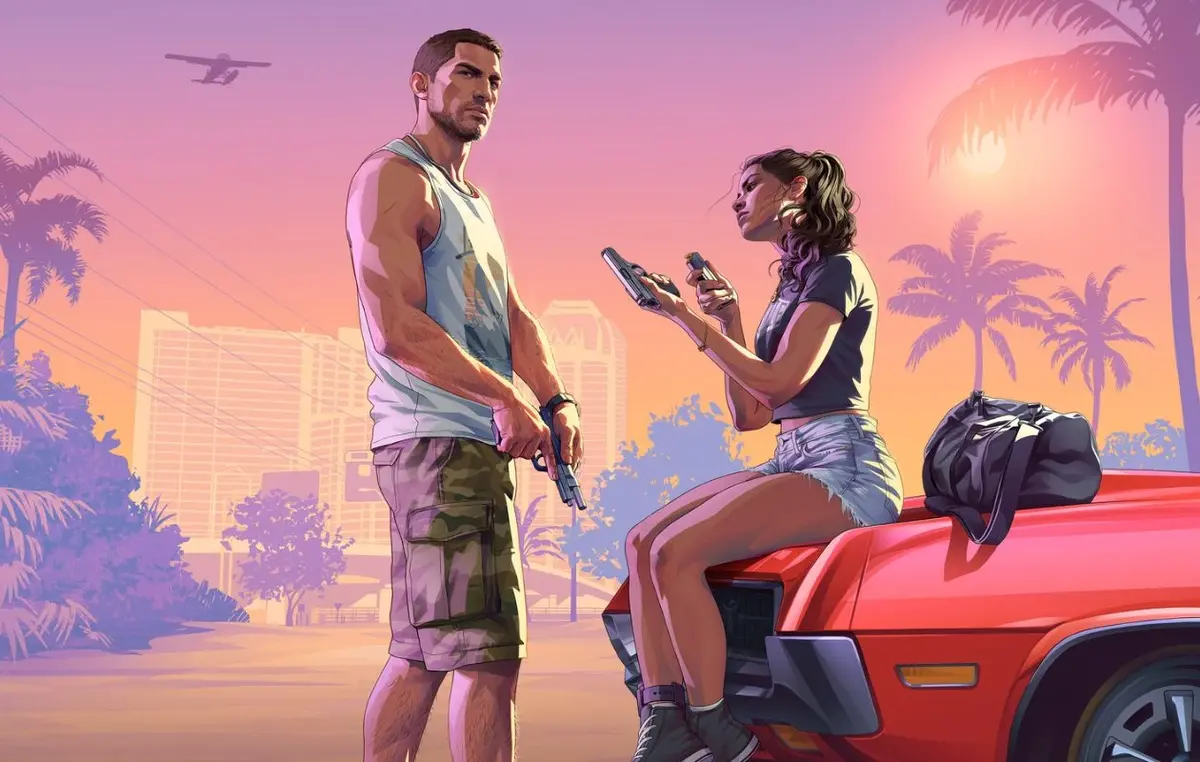
GTA 6 is expected to create a huge wave of excitement when it launches on 19 November 2026 for PlayStation 5 and Xbox Series X|S. For streamers and gaming creators, that excitement presents an opportunity to turn ordinary gameplay sessions into short videos that attract viewers on TikTok, Instagram Reels, and YouTube Shorts. The challenge is knowing which moments are worth sharing and how to publish them while people are still talking about the game.
A reliable GTA 6 clip editor can make this process much easier. Instead of watching hours of footage repeatedly and cutting every video by hand, creators can use editing tools to identify promising moments, create vertical clips, add captions, and prepare videos for publication. However, good results still depend on choosing interesting moments and giving viewers a reason to keep watching.
With the launch approaching, now is the time to prepare your recording setup, editing workflow, and posting schedule. A little planning can help you spend less time managing files and more time creating content people actually want to watch.
Why GTA 6 Launch Week Is an Opportunity for Gaming Creators
Major game launches create a constant stream of conversations, reactions, and gameplay discoveries. Viewers want to see what the game looks like, how its world behaves, and what unexpected situations players encounter. Short videos make these moments easy to watch and share without asking someone to sit through a full livestream.
For creators, the advantage is that one long gaming session can produce several pieces of content. A two-hour stream might contain a funny interaction, an unexpected accident, a memorable discovery, and a strong reaction. Each moment can become a separate video if it works on its own.
The key is not to upload every interesting-looking scene. A clip should have a clear purpose. It might make someone laugh, surprise them, show an impressive gameplay moment, or encourage them to leave a comment. When viewers understand the appeal quickly, they have a better reason to keep watching.
Competition will also be intense during launch week. Many creators will publish similar footage, so strong timing and a recognizable style can help your content stand out. Focus on genuine moments from your own gameplay or footage you have permission to use, rather than simply reposting whatever is already popular.
Prepare Your GTA 6 Recording and Editing Setup Before Launch
GTA 6 is scheduled to launch on PS5 and Xbox Series X|S, according to the official platform information from Rockstar Games. A PC version is not listed for launch, so creators should prepare their workflow around supported console capture and available video files.
If you plan to record your own gameplay, test your console’s capture feature before launch day. Learn how to save recent gameplay, transfer video files to your computer or phone, and check the quality of the exported footage. The exact process will depend on your console and the recording method you choose.
Make sure your storage has enough free space for longer sessions. High-quality recordings can take up considerable room, and running out of storage in the middle of an exciting moment is frustrating. It is also worth checking your microphone levels, party-chat settings, and audio balance so that important dialogue and reactions remain understandable.
Next, choose an editing workflow. You can edit clips manually using a conventional video editor or use a GTA 6 clip editor that helps identify highlights and prepare short-form videos. Some tools accept uploaded recordings, while others can process supported stream recordings or public video links. Check the features and limitations of your chosen service before relying on it.
Create a simple folder structure for raw recordings, selected highlights, finished clips, and published videos. Label files by session or date. This small habit becomes valuable when you have several hours of footage and need to find a particular moment quickly.
Finally, prepare a vertical-video template. Decide on your caption style, preferred font, basic branding, and export settings. Having these choices ready means you will not need to build every video from scratch when the game launches.
Which GTA 6 Moments Are Worth Clipping?
The strongest clips usually contain a moment that viewers can understand without watching the entire stream. A dramatic event is helpful, but a funny or unexpected situation can be just as effective. Look for moments with a clear beginning, a payoff, and a natural ending.
Unexpected gameplay moments: Surprising situations, unusual character interactions, unexpected vehicle accidents, and unpredictable outcomes can make entertaining clips. The appeal often comes from the fact that the moment was not planned.
Funny reactions: A creator’s laughter, confusion, shock, or disbelief can add personality to a scene. When possible, include enough gameplay context for viewers to understand what caused the reaction.
Impressive discoveries: A striking location, interesting environmental detail, or memorable in-game event may interest viewers who want to see more of the game. Keep the clip focused on the discovery rather than adding unnecessary footage.
Close calls and dramatic action: Narrow escapes, difficult driving sequences, and tense encounters can work well when the outcome is clear. Start close enough to the action to establish the stakes without cutting away the context that makes it exciting.
Useful tips and observations: Short explanations about controls, gameplay mechanics, settings, or interesting details can provide value beyond entertainment. Avoid presenting untested guesses as confirmed facts, especially during the first few days after launch.
Strong storytelling moments: A brief sequence with a setup and payoff can keep viewers watching. For example, show the situation that creates a problem, the player’s response, and the outcome. A clip that feels like a complete mini-story is often more satisfying than a random collection of fast cuts.
During your first sessions, make a note of timestamps when something interesting happens. You can also review the recording afterward or use an editing tool to identify potential highlights. Treat automated suggestions as a starting point, though. A tool may recognize excitement in the audio without understanding why a particular moment matters.
Ideal GTA 6 Clip Length, Captions, and Vertical Editing
There is no single perfect length for every short gaming video. The right duration depends on the moment, the platform, and how much context viewers need. As a practical starting point, aim for around 15–35 seconds for a straightforward reaction, joke, or surprising event. A more involved sequence may need 30–60 seconds, provided the story remains engaging.
The goal is to remove anything that does not help the viewer understand or enjoy the moment. Long pauses, repeated explanations, loading screens, and unnecessary travel can usually be trimmed. However, cutting too aggressively can make the footage confusing. Leave enough room for the setup and the payoff.
For TikTok, Reels, and YouTube Shorts, use a vertical 9:16 layout when suitable. Landscape gameplay needs careful reframing because important action can disappear when the image is cropped. Keep the main action visible and check that character movement, vehicles, and relevant on-screen details remain inside the frame.
Captions are especially useful for viewers watching without sound or trying to understand dialogue in a busy scene. Use readable text, strong contrast, and short phrases. Keep captions away from areas where platform buttons, usernames, or descriptions may cover them.
Avoid filling the screen with too many words or distracting effects. Captions should support the moment, not compete with it. Review automatically generated subtitles before publishing because character names, slang, background dialogue, and game sounds can be transcribed incorrectly.
Audio matters just as much as the picture. Keep speech clear, avoid sudden volume spikes, and make sure background music does not drown out an important reaction. If you add music or sound effects, use material you are authorized to publish on your chosen platforms.
Before exporting, watch the entire clip from beginning to end. Check the first second, caption timing, crop, audio levels, and final frame. A technically polished video can still fail if the important moment is hidden or the ending feels abrupt.
A Practical Posting Rhythm for GTA 6 Launch Week
Launch week can tempt creators to publish as many clips as possible. However, posting more videos does not automatically produce better results. A manageable schedule gives you time to select stronger moments, edit them properly, and learn what your audience enjoys.
Before launch: Test your recording and editing workflow, prepare a few caption styles, and create reusable templates. You can also plan general content ideas, but avoid presenting unreleased gameplay or unverified information as fact.
Launch day: Prioritize your own first impressions, funny reactions, and memorable discoveries. If you have several strong moments, publish one or two polished clips and save the rest for later. You do not need to upload every highlight immediately.
Days two and three: Review which videos attract attention and create follow-up content around similar themes. If viewers respond to funny driving moments, for example, look for another distinct moment with the same appeal rather than uploading nearly identical footage.
Days four through seven: Build a repeatable routine. You might aim for one to three quality clips per day if your recording time and editing capacity allow it. This is a suggested starting point, not a platform requirement. Adjust the frequency according to the quality of your footage and your audience’s response.
Use a simple content calendar to track the clip, caption, platform, publication time, and results. Review watch time, completion rate, shares, comments, and other available analytics rather than judging every post by views alone. Different platforms and audiences may respond differently.
A GTA 6 clip editor can help streamline this schedule by finding potential highlights from longer recordings and preparing captioned vertical videos. For example, Prolifik describes a workflow for processing supported Twitch, Kick, and YouTube recordings or uploaded files, generating clips, and scheduling approved content. Its published plans use the length of the source footage to calculate clip minutes, rather than the number of finished clips. Check the current features, pricing, and platform support before choosing a service.
Whatever tool you use, review every video before it goes live. Automated editing can save time, but your judgment is still important when selecting context, checking captions, and deciding whether a clip represents your channel well.
Final Thought
Getting ready to clip GTA 6 when it launches on 19 November 2026 is about more than choosing an editing tool. It means preparing your recording setup, learning to recognize moments that stand on their own, and building a workflow that turns long gaming sessions into clear, engaging vertical videos.
Start with a few strong highlights, keep your edits focused, use readable captions, and publish at a pace you can maintain. Review the response to each video and improve your approach throughout launch week. Most importantly, prioritize original footage, respect other creators’ rights, and make every clip worth watching. A consistent process and a recognizable creative style can help you make the most of the excitement surrounding GTA 6.
FAQs
1. What is a GTA 6 clip editor?
A GTA 6 clip editor is a video-editing tool or workflow used to turn longer gameplay recordings or streams into shorter videos. Depending on its features, it may help identify highlights, trim footage, add captions, reframe videos vertically, and prepare clips for social media.
2. Can I clip GTA 6 gameplay on launch day?
Yes, provided you have access to the game and a way to record or save gameplay. GTA 6 is scheduled for PS5 and Xbox Series X|S on 19 November 2026. Test your console capture and file-transfer workflow in advance.
3. How long should a GTA 6 Short be?
Around 15–35 seconds is a useful starting point for a simple highlight. Longer clips can work when they need more context or tell a complete story. Choose the shortest duration that preserves the moment’s meaning and payoff.
4. Can one GTA 6 recording produce multiple clips?
Yes. A single session may contain several unrelated highlights, each suitable for a separate video. Review the recording for distinct moments rather than splitting it into arbitrary sections.
5. Should I post the same clip on TikTok, Reels, and YouTube Shorts?
You can adapt the same core footage for all three platforms, but check each platform’s format, music rules, caption placement, and audience expectations. Small adjustments to the opening, caption, or description may improve the experience.
6. Can I repost another streamer’s GTA 6 footage?
Do not assume that publicly available footage is free to reuse. Obtain the creator’s permission, follow any applicable campaign terms, and check platform copyright rules. Giving credit is not a substitute for permission.
