

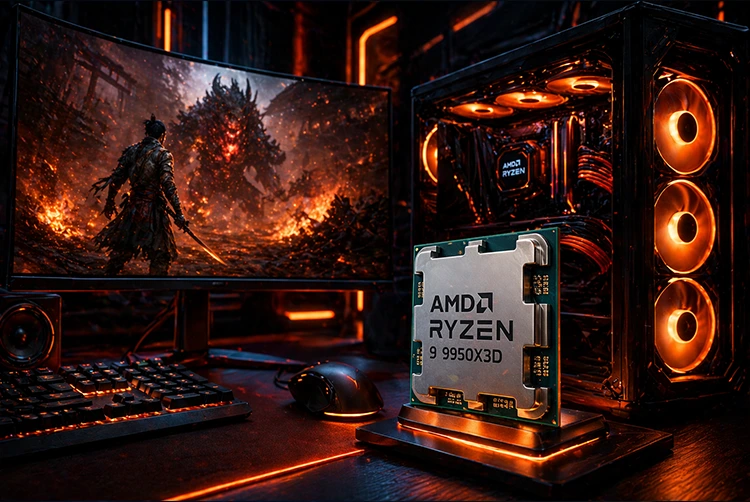
The world’s most powerful gaming and creator processor, reviewed in depth specs, real-world benchmarks, motherboard pairings, and who should actually buy it. When AMD announced the Ryzen 9 9950X3D at CES in January 2025, it promised something the PC enthusiast community had been waiting years for: a single processor that doesn’t force you to choose between gaming supremacy and professional-grade productivity. For two generations, the choice was stark — you either bought the X3D chip for games, or the flagship non-X3D for work. With the 9950X3D, AMD’s answer is: you don’t have to pick anymore.
Released on March 12, 2025, at an original MSRP of $699, the Ryzen 9 9950X3D is a 16-core, 32-thread Zen 5 processor with AMD’s second-generation 3D V-Cache stacked on one of its two core complex dies. The result, as reviewers across the board confirmed, is a chip that matches the Ryzen 7 9800X3D in gaming — the best gaming processor ever made at that point — while also matching the non-X3D Ryzen 9 9950X in productivity. That combination is genuinely unprecedented at this price point.
What Is the Ryzen 9 9950X3D?
The AMD Ryzen 9 9950X3D is AMD’s flagship desktop processor, sitting at the top of the Ryzen 9000 series. It combines the Zen 5 “Granite Ridge” architecture — the same core design as the 9950X — with AMD’s second-generation 3D V-Cache technology, a stacked SRAM die bonded directly to one of the processor’s core chiplets.
The fundamental design challenge AMD solved with this chip is the asymmetric CCD problem. On the 7950X3D, one of two core chiplets had the 3D V-Cache stack and one didn’t, and Windows would sometimes schedule gaming threads on the wrong CCD — the one without the extra cache — tanking performance. AMD directly addressed this for the 9950X3D with improved chipset driver thread scheduling, ensuring games reliably land on the cache-equipped cores. As reviewed by GamersNexus, this setup improvement means the 9950X3D does not appear to be suffering from its dual-CCD approach in gaming workloads.
AMD described the Ryzen 9 9950X3D at launch as “the world’s best processor for gamers and creators” — and independent reviews across Tom’s Hardware, GamersNexus, PC Games Hardware, and Puget Systems broadly confirmed that claim, making it the logical choice for users who want one chip to do everything without compromise. For a direct comparison against AMD’s other options, our best gaming CPU guide for 2026 covers the full competitive landscape.
Full Specs & Key Specifications
Architecture Zen 5 (Granite Ridge) | Cores / Threads 16C / 32T | Base Clock 4.3 GHz | Boost Clock 5.7 GHz |
L3 Cache (Total) 128 MB | Total CPU Cache 144–145 MB | TDP (Default) 170 W | Max Power 230 W |
CPU Socket AM5 (LGA 1718) | Memory Support DDR5 only | PCIe Version PCIe 5.0 | Launch Date March 12, 2025 |
Launch MSRP $699 USD | Process Node TSMC 4nm | 3D V-Cache 2nd Gen · 1 CCD | Overclocking Supported (PBO) |
Max TJ (Operating) 95 °C | Cooler Included No (360mm AIO rec.) |
💡 Supported Chipsets
The 9950X3D is compatible with all AM5 chipsets: A620, B650, B650E, X670, X670E, B840, B850, X870, and X870E. For a flagship 16-core chip at 170W TDP, an X870 or X870E board with strong VRM power delivery is strongly recommended.
2nd-Gen 3D V-Cache — What Changed & Why It Matters
AMD’s 3D V-Cache technology works by bonding a secondary SRAM chiplet directly on top of (or beneath) a core complex die, dramatically expanding the available L3 cache. In modern games, the bottleneck often isn’t CPU core speed — it’s the time spent fetching data from main memory. A massively larger on-chip cache means more game data stays close to the cores, reducing latency and enabling dramatically higher frame rates.
The key advancement in the second-generation implementation is where the cache die is physically placed. On first-gen 3D V-Cache (the 5800X3D and 7800X3D), the cache die was stacked on top of the compute die. This created a thermal problem: heat had to escape through the extra cache layer before reaching the heatspreader, limiting sustained boost clocks. AMD’s second-gen design repositions the cache layer beneath the compute die — the cores now sit closer to the integrated heat spreader, allowing heat to escape more efficiently. The result is higher sustained boost clocks under load. During Tom’s Hardware’s testing, the 9950X3D’s V-Cache CCD regularly boosted to approximately 5.5 GHz — meaningfully higher than the 9800X3D’s typical 5.2–5.3 GHz range.
The asymmetric implementation — only one of the two CCDs carries the stacked cache — is a deliberate trade-off. The cache-equipped CCD handles gaming threads (where the big L3 is transformative), while the non-cache CCD runs at slightly higher sustained clocks, handling productivity and multi-threaded workloads more efficiently. Combined with AMD’s improved thread-scheduling drivers, this dual-CCD architecture mostly avoids the performance pitfalls that plagued the previous 7950X3D generation.
Gaming Benchmarks — 9950X3D vs 9800X3D vs 285K vs 9950X
Gaming performance is where the Ryzen 9 9950X3D truly distinguishes itself from Intel’s competition. Tom’s Hardware’s independent benchmarks found the 9950X3D to be 37% faster than Intel’s Core Ultra 9 285K on average at 1080p, and 26% faster than Intel’s previous-generation Core i9-14900K. Against AMD’s own Ryzen 7 9800X3D, the 9950X3D is effectively a tie in most titles — sometimes leading by a few percent, sometimes trailing by a similar margin, with the differences rarely crossing 5% in either direction.
1080p Gaming — Average FPS Comparison (Illustrative Data)
Per-Game Highlights
| Game | 9950X3D | 9800X3D | Core Ultra 9 285K | Notes |
|---|---|---|---|---|
| Baldur’s Gate 3 | 155 FPS | ~155 FPS | ~110 FPS | Effectively tied with 9800X3D; new chart topper at launch |
| Dragon’s Dogma 2 | 132 FPS | 128 FPS | ~90 FPS | 9950X3D leads by 3.2%; both crush Intel |
| Stellaris (sim time) | Top tier | Slightly faster | ~Intel 7800X3D level | 9800X3D edges ahead by ~5% in simulation workloads |
| F1 24 | 200+ FPS | ~200 FPS | ~155 FPS | Both AMD chips dominate; Intel not competitive |
| CS2 / Competitive FPS | Top tier | Top tier | Well behind AMD | 37% avg AMD lead in competitive titles at 1080p |
In gaming, the Ryzen 9 9950X3D and Ryzen 7 9800X3D are essentially equal, trading places by margins that are immeasurable in real gameplay. The 9950X3D’s advantage over Intel’s best is enormous — 37% at 1080p on average. If gaming is your only goal, the cheaper 9800X3D delivers the same experience. If you also do serious creative work, the 9950X3D’s extra cores are where it earns its price premium. For more comparisons, check our AMD vs Intel gaming CPU deep-dive.
Productivity & Content Creation Benchmarks
This is where the 9950X3D separates itself from the 9800X3D in a way that matters enormously for the creator/streamer/developer audience. The 16-core, 32-thread configuration with its 170W TDP gives it a multi-threaded grunt that the 8-core 9800X3D simply cannot match.
ComputerBase found that in testing, the 9950X3D combines the highest application performance with a top ranking in gaming. PC Games Hardware went further, calling it “currently the best CPU on the market in terms of overall performance,” beating both Intel’s Core Ultra 9 285K and the Core i9-14900K. Puget Systems’ professional workstation testing found it particularly strong in V-Ray CPU rendering, where it delivers a 9% lead over the non-X3D 9950X — and a substantial 21% advantage over Intel’s 285K.
| Workload | 9950X3D | vs 9950X (non-X3D) | vs Intel 285K |
|---|---|---|---|
| Cinebench R24 (Multi) | Matches 9950X | Essentially equal | +10% lead |
| Blender Rendering | Top AMD tier | Comparable | Faster (multi-core advantage) |
| V-Ray CPU Render | Best on chart | +9% faster | +21% faster |
| Adobe Premiere Pro | +6% vs 9950X | +6% advantage | Competitive / slightly faster |
| DaVinci Resolve | Strong GPU-bound | Minor differences | 285K ahead in some Fusion tests |
| 7-Zip Compression | Top performer | Cache helps significantly | Strong lead |
| Unreal Engine Compile | Excellent | +7–8% advantage | Faster (16 cores vs 24 P+E) |
The 9950X3D’s 3D V-Cache does not hamper productivity the way earlier generations did. It effectively matches the 9950X in multi-threaded workloads and beats Intel’s 285K by a meaningful margin in rendering-heavy tasks. For streamers, 3D artists, developers, and video editors who also game heavily, this is now the definitive CPU choice.
Thermals, Power Consumption & Cooling Requirements
The 9950X3D’s 170W TDP is the most significant caveat in an otherwise glowing picture. This is a genuinely hot chip under sustained load — one that demands appropriate cooling to sustain its rated performance. AMD’s official recommendation is a liquid cooler for optimal performance, with a 360mm AIO being the practical minimum for keeping temperatures stable under extended all-core workloads. Air coolers are technically compatible, but high-end 280W-class towers (Noctua NH-D15, be quiet! Dark Rock Pro 5) are the minimum acceptable for sustained productivity workloads.
In gaming specifically — where the chip typically doesn’t sustain full all-core loads — a high-end 240mm AIO can manage adequately, with temperatures typically settling around 75°C. Under Cinebench all-core stress or sustained rendering, temperatures push toward the 90–95°C range, which is within AMD’s specified operating envelope but requires proper case airflow. The revised second-gen V-Cache architecture, with the cache die repositioned below the compute die, does meaningfully improve thermal headroom compared to the 7950X3D — higher sustained clocks are achievable at equivalent temperatures.
Do not pair the 9950X3D with a 120mm AIO or budget air cooler. The 170W TDP (up to 230W max) will thermal-throttle the chip and destroy the performance advantage you paid for. A 360mm AIO or a flagship tower cooler like the Noctua NH-D15 is the responsible minimum. Budget accordingly when planning a 9950X3D build.
Overclocking & PBO Support
One of the notable improvements over the 7950X3D is full overclocking support. AMD brought back PBO (Precision Boost Overdrive) and Curve Optimizer support for the 9950X3D, which had been restricted on some earlier X3D variants due to thermal and silicon concerns related to the old on-top cache placement. The repositioned second-gen V-Cache architecture — sitting beneath the compute die — provides the thermal headroom to safely accommodate overclocking.
Traditional all-core frequency overclocking is still limited in scope by the chip’s design, but PBO combined with Curve Optimizer undervolting typically yields meaningful gains in both gaming and productivity: reduced temperatures, more headroom for sustained boost, and in some cases measurable FPS improvements in cache-sensitive games. AMD’s Ryzen Master software handles all of this within Windows without requiring BIOS access for basic PBO tuning. For enthusiasts who want to go further, X870E boards with strong VRM designs provide the power delivery headroom for more aggressive Curve Optimizer profiles.
Best Motherboards for the Ryzen 9 9950X3D
The 9950X3D works on any AM5 socket motherboard — chipsets A620, B650, B650E, X670, X670E, B840, B850, X870, and X870E are all compatible. For a 170W flagship chip, an X870 or X870E board with 16+ phase VRM power delivery is strongly recommended to sustain full-load performance without voltage instability or thermal throttling on the VRMs themselves. Here are the top picks across price tiers, based on expert reviews and our own testing. See our full AM5 motherboard rankings for deeper detail on each option.
| Motherboard | Chipset | VRM | Price Range | Best For |
|---|---|---|---|---|
| ASUS ROG Crosshair X870E Hero Top Pick | X870E | 18+2+2 phase | ~$640 | Maximum overclocking, premium I/O, long-term use |
| ASRock Phantom Gaming X870E Nova WiFi Best All-Round | X870E | 20+2+1 phase | ~$350–400 | Performance + value; 21 USB ports, WiFi 7, 5x M.2 |
| Gigabyte X870E AORUS Elite WiFi 7 | X870E | Strong design | ~$320 | Well-rounded enthusiast board with competitive pricing |
| MSI MAG X870E Tomahawk WiFi Best Value | X870E | 14+2+1 phase | ~$250–280 | Best mainstream price-to-feature ratio; reliable VRMs |
| Gigabyte X870 AORUS Elite WiFi 7 | X870 | Solid design | ~$230–254 | Great budget X870 entry; WiFi 7, PCIe 5.0 |
| ASUS ROG Crosshair X870E Apex | X870E | Extreme OC design | ~$700+ | Extreme overclocking, exotic cooling, 2-DIMM layout for max memory OC |
The 9950X3D requires DDR5 — there is no DDR4 compatibility on AM5. AMD’s EXPO profiles are the AM5 equivalent of Intel XMP. For this chip, DDR5-6000 with EXPO enabled represents the performance sweet spot — balancing bandwidth with memory controller stability. See our best DDR5 RAM guide for compatible kit recommendations.
Who Should Buy the Ryzen 9 9950X3D?
✅ Game Developers & 3D Artists
You compile shaders and render scenes during the day, then stress-test your game in the evening. The 9950X3D handles both without compromise — it’s the only chip that doesn’t force a choice.
✅ Content Creators Who Game Heavily
Streamers, video editors, and YouTubers who spend hours in Premiere Pro or DaVinci Resolve and then want to run games at maximum performance on the same machine.
✅ Simulation & Strategy Gamers
Titles like Stellaris, Total War, Civilization, and other CPU-intensive strategy games benefit enormously from large L3 cache. The 9950X3D excels here in ways that even a fast 285K cannot match.
✅ Future-Proof Platform Builders
AM5 has AMD’s commitment through at least 2027. Pairing the 9950X3D with a quality X870E board and DDR5 gives you an upgrade path for future Ryzen generations without a platform change.
❌ Pure Gamers on a Budget
If you only game and don’t do serious creative work, the Ryzen 7 9800X3D delivers identical gaming performance at a significantly lower price. The $699 premium is not justified for gaming alone.
❌ Heavily Single-Threaded Workloads
Intel’s Arrow Lake CPUs have more cores and sometimes edge ahead in workloads where single-core performance dominates. If your workflow is primarily single-threaded, evaluate carefully.
Ryzen 9 9950X3D vs Ryzen 7 9800X3D — Which to Choose?
This is the question most gaming-oriented buyers will ask, and the honest answer is nuanced. For pure gaming, the 9800X3D is the smarter buy. The two chips trade places in gaming benchmarks within a few percent — effectively identical in real gameplay — but the 9800X3D costs significantly less (around $480 MSRP vs $699 for the 9950X3D). If you turn your computer on, game, and turn it off, you’re overpaying substantially for the 9950X3D.
The 9950X3D justifies its premium entirely in productivity. Its 16 cores vs the 9800X3D’s 8 cores, combined with the higher 170W TDP and additional multi-threaded performance, makes it materially faster in video rendering, compilation, simulation, and any task that scales with core count. It also matches the 9950X (non-X3D) in these workloads, meaning you lose essentially nothing in professional applications by choosing the X3D variant.
Ryzen 9 9950X3D vs 9950X3D2 Dual Edition — Is the New Model Worth It?
On April 22, 2026 — today — AMD launched the Ryzen 9 9950X3D2 Dual Edition, the world’s first desktop processor with 3D V-Cache stacked on both CCDs, delivering 208MB of total cache. This is a significant architectural evolution, and it raises an obvious question: should you wait or pay more for the 9950X3D2 instead of the 9950X3D?
The honest answer for most buyers is no. AMD’s own testing positions the 9950X3D2 primarily as a developer and creator workload accelerator — showing 5–8% uplifts on average in creator applications like DaVinci Resolve and Blender, and in large source code builds like Unreal Engine and Chromium. These are meaningful improvements for professionals whose workflows are specifically bottlenecked by cache capacity and memory latency at scale, but they’re not the kind of differences most gamers or even most content creators will notice day-to-day.
Pros & Cons — Ryzen 9 9950X3D
| ✅ Pros | ❌ Cons |
|---|---|
| Matches the 9800X3D in gaming — among the best gaming CPUs available | Gaming performance identical to the cheaper 9800X3D |
| ~37% faster than Intel Core Ultra 9 285K in 1080p gaming (avg) | High 170W TDP — requires 360mm AIO or high-end air cooler |
| Matches non-X3D 9950X in productivity workloads | $699 price is hard to justify for gaming-only builds |
| 2nd-gen 3D V-Cache design allows higher sustained boost clocks | Dual-CCD design may cause rare scheduling issues in some games |
| Full PBO + Curve Optimizer tuning support | Intel 285K can win some lightly threaded tasks |
| AM5 platform supported through at least 2027 | No stock cooler included (adds ~$60–$150 extra) |
| PCIe 5.0 support for future GPUs and SSDs | Superseded by newer 9950X3D2 for heavy professional workloads |
| $699 MSRP — consistent with previous flagship pricing |
FAQ about AMD Ryzen 9 9950X3D
Is the Ryzen 9 9950X3D the best gaming CPU in 2026?
As of its launch in March 2025, yes — it effectively tied the Ryzen 7 9800X3D for gaming performance, and the 9800X3D was the fastest gaming CPU ever tested at that time. Both remain at or near the top of the gaming CPU hierarchy in 2026. The newly released 9950X3D2 may deliver marginal improvements in some titles, but for pure gaming, the 9950X3D and 9800X3D are still the gold standard.
What’s the difference between 9950X3D and 9950X?
The 9950X3D adds AMD’s second-generation 3D V-Cache technology — 64MB of stacked SRAM on one of its two core chiplets — bringing total L3 cache from 64MB (on the 9950X) to 128MB. In gaming, this extra cache is transformative: the 9950X3D can be up to 46% faster than the 9950X in cache-sensitive titles like Dragon’s Dogma 2. In productivity workloads, the two chips are closely matched, with the 9950X3D slightly edging ahead in some rendering tasks (+6–9%) despite the additional cache overhead.
Does the Ryzen 9 9950X3D require a new motherboard?
It requires an AM5 socket motherboard, which uses the LGA 1718 socket — not compatible with AM4 boards. If you’re upgrading from an older AMD system (Ryzen 5000 or earlier), you’ll need a new motherboard. If you already have an AM5 board (for a Ryzen 7000 or 9000 series CPU), the 9950X3D is a straightforward drop-in upgrade, though a BIOS update to the latest AGESA version is recommended for optimal scheduler support.
What cooler do I need for the 9950X3D?
AMD recommends a liquid cooler for optimal performance. In practice, a 360mm AIO is the safest choice for sustained all-core workloads. High-end air coolers — the Noctua NH-D15, be quiet! Dark Rock Pro 5, or Thermalright Peerless Assassin 120 SE — can manage gaming loads adequately, but may see temperature spikes during extended rendering or compilation sessions. Budget at least $60–$80 minimum for adequate cooling; $100–$150 for a quality 360mm AIO.
Can the 9950X3D be overclocked?
Yes, unlike some earlier X3D variants, AMD fully supports PBO (Precision Boost Overdrive) and Curve Optimizer undervolting on the 9950X3D. The second-gen V-Cache repositioning provides the thermal headroom needed for this. Traditional all-core frequency overclocking beyond PBO is limited, but PBO + Curve Optimizer typically delivers meaningful real-world gains in both gaming and productivity, along with reduced thermals. An X870E motherboard with robust VRM power delivery is recommended for more aggressive PBO settings.
Is the 9950X3D or 9800X3D better for gaming?
In pure gaming performance, they are effectively identical. The 9950X3D occasionally leads by 1–5% in some titles, and the 9800X3D occasionally leads by a similar margin in others. No real-world gaming session will feel different between the two. The 9800X3D is the smarter choice if you only game — it costs ~$220 less. The 9950X3D is the right choice if you regularly do video editing, 3D rendering, game development, or other multi-threaded professional work alongside your gaming.
What DDR5 speed should I use with the 9950X3D?
AMD’s EXPO (Extended Profiles for Overclocking) profiles handle memory overclocking on AM5 the way Intel XMP does on LGA platforms. DDR5-6000 with EXPO enabled is the widely tested sweet spot for Ryzen 9000 series processors, including the 9950X3D — it balances memory bandwidth with memory controller stability. Pushing to DDR5-6400 or higher is possible on quality kits with compatible X870E boards but requires more testing for stable operation.
