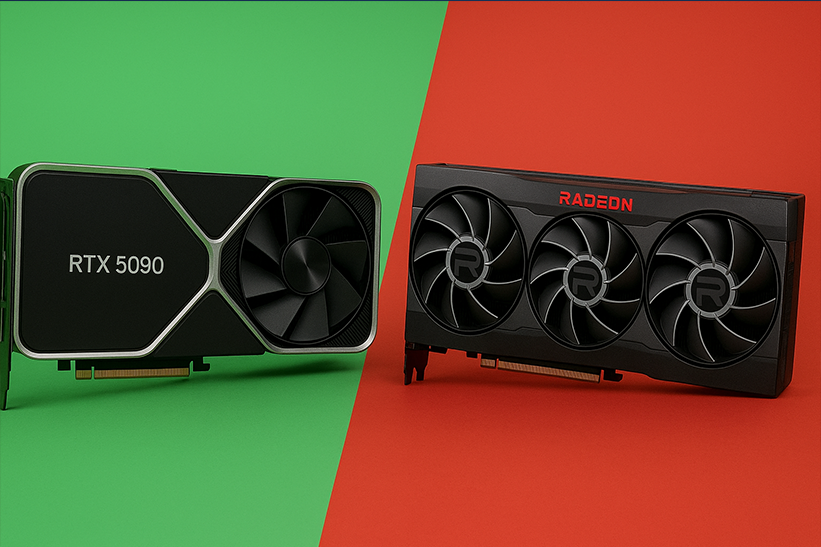
Virtual RAM (VRAM) is a special type of memory used by a graphics card to store and access visual data quickly. It directly affects how smoothly games, videos, and graphics-intensive applications perform on your device.
What Is VRAM?
VRAM stands for Video Random Access Memory. It is a high-speed memory component built into your graphics processing unit (GPU). Unlike standard system RAM, which handles general tasks, Virtual RAM specifically stores graphics-related information, such as:
Textures
Frame buffers
Rendering data
Shaders
High-resolution images and videos
Every time your display shows an image—whether a simple web page or a 4K game Virtual RAM works behind the scenes to process and deliver those visuals quickly and smoothly.
Why Virtual RAM Matters
Virtual RAM impacts performance in several important ways. The more Virtual RAM you have, the more data your GPU can store locally, which leads to faster, smoother graphics processing.
1. Better Gaming Performance
Games rely on large amounts of texture and rendering data. Higher resolutions like 1440p and 4K require even more memory.
Low VRAM → Stuttering, texture pop-ins, lag
Enough VRAM → Smooth gameplay and high-quality textures
For example, modern AAA games often recommend 8 GB or more VRAM.
2. Improved Video Editing and 3D Rendering
Professional tasks such as:
Editing 4K/8K videos
Rendering 3D models
Running CAD software
all require substantial memory for storing frames, effects, and preview data. More VRAM allows smoother previews and faster rendering times.
3. Better Support for High-Resolution Displays
When using a 4K monitor, ultrawide display, or multiple screens, VRAM must handle more pixels. Higher pixel counts increase the VRAM load dramatically.
4. Enhanced Performance in AI and Machine Learning
Modern AI tools, like image generation and data-intensive modeling, use VRAM for:
Storing matrices
Running neural networks
Processing high-resolution images
A GPU with 12 GB+ VRAM is highly beneficial for these tasks.
How VRAM Works
VRAM works as a temporary holding space for all the visual data your GPU needs at any given moment. Here’s what happens:
Your game/app loads graphics data
Textures, maps, and visual assets are read from your storage.Data moves into VRAM
This allows the GPU to access them instantly without bottlenecks.GPU renders frames using VRAM data
Every single frame you see is processed using VRAM.Frames are sent to your display
This entire cycle repeats dozens or hundreds of times per second, depending on FPS.
If VRAM runs out, the system uses slower system RAM or even storage, leading to performance drops.
How Much Virtual RAM Do You Need?
The right amount depends on what you do:
Basic Use (Browsing, Office Work)
2–4 GB Virtual RAM
Enough for daily tasks and HD video.
Casual Gaming / 1080p
4–6 GB Virtual RAM
Handles most mid-range games smoothly.
Modern AAA Gaming / 1440p
8–12 GB Virtual RAM
Ideal for high-detail textures and smooth frame rates.
4K Gaming
12–16 GB Virtual RAM
Needed for large textures and ultra-high resolution.
Professional Video Editing & 3D Work
12–24 GB Virtual RAM
Faster rendering and smoother previews.
Types of Virtual VRAM
There are several types, each improving speed and efficiency:
1. GDDR5
Older but still used in budget GPUs.
2. GDDR6 / GDDR6X
Fast and efficient; common in modern GPUs.
3. HBM / HBM2
High Bandwidth Memory; used in some professional and high-end GPUs for ultra-fast data access.
Virtual RAM vs RAM: What’s the Difference?
| Feature | Virtual RAM | RAM |
|---|---|---|
| Purpose | Graphics data | General system tasks |
| Location | On the GPU | On the motherboard |
| Speed | Very high | Moderate |
| Impact on performance | Critical for visuals | Vital for multitasking |
Both RAM and Virtual RAM are important, but they serve different roles.
How to Check Virtual RAM on Your Computer
Windows
Go to Settings
Click Display
Select Advanced display settings
Click Display adapter properties
Virtual RAM (Dedicated Video Memory) appears there
macOS
Virtual RAM appears under:
Apple Menu → About This Mac → System Report → Graphics/Displays
Tips to Optimize Virtual RAM Usage
Lower texture quality in games
Reduce resolution (1080p instead of 4K)
Close background apps
Update GPU drivers
Use DLSS/FSR (AI upscaling) to reduce load
FAQs
Is Virtual RAM the same as graphics memory?
Yes. Virtual RAM is the dedicated memory used by a graphics card.
Can I increase Virtual RAM?
You cannot physically add Virtual RAM to a GPU. However, lowering graphics settings can help manage usage.
Do integrated GPUs have Virtual RAM?
Integrated GPUs use system RAM as shared memory instead of dedicated Virtual RAM.
Does more Virtual RAM improve FPS?
More Virtual RAM helps prevent performance drops in high-resolution or texture-heavy scenarios. However, raw GPU power also plays a major role.
What happens when Virtual RAM runs out?
Your PC shifts data to slower RAM or storage, causing lag, stutters, and low FPS.