4K gaming has become the gold standard for gamers who want stunning, immersive visuals and next-gen experiences that truly captivate.
Key Takeaways
- 4K gaming delivers stunning visual clarity at 3840 × 2160 resolution.
- It requires high-end GPUs like RTX 4090 / 5090 for smooth performance.
- Best suited for story games, open-world titles, and cinematic experiences.
- Competitive players may prefer 1440p for higher FPS.
- Proper hardware + optimized settings are essential for smooth 4K gameplay.
What Is 4K Gaming?
4K-gaming refers to playing video games at a resolution of 3840 × 2160 pixels, which contains four times the pixel count of 1080p. This higher resolution delivers sharper textures, improved detail, and a far more immersive experience—especially on larger screens.
How 4K Differs From Other Resolutions
1080p (FHD)
- Perfect for budget gaming
- Highest FPS possible
- Lower visual detail
1440p (QHD)
- Sweet spot for competitive + casual players
- High FPS + great detail
4K (UHD)
- Best visual Quality
- Heaviest on the GPU
- Ideal for single-player and cinematic games
Who Should Choose 4K Gaming?
4K is a perfect match for:
- Story-driven players
- Open-world explorers
- Console gamers
- PC gamers with high-end GPUs
- Gamers using 32–55-inch displays
Advantages of 4K Gaming
Sharper Graphics & Realistic Detail
4K resolution packs 8.3 million pixels, creating crystal-clear visuals that enhance shadows, reflections, lighting, and texture detail.
Larger FOV Without Pixelation
Wide, open environments look cleaner and more natural.
Better for Big Screens
4K shines on 27-inch to 55-inch monitors and TVs, eliminating blur and distortion.
Future-Proof Performance
As more games support native 4K, investing early ensures long-term value.
Disadvantages of 4K Gaming
Requires Very Powerful Hardware
Running games at 4K 60–144 FPS demands top-tier GPUs.
Lower FPS
Competitive gamers may find 4K too demanding for fast-paced games like Valorant or CS2.
High Cost
4K monitors and graphics cards are more expensive than 1080p/1440p options.
Hardware Requirements for 4K-Gaming
To enjoy 4 K gaming without stutter or FPS drops, you need strong hardware.
Best GPUs for 4K Gaming
For Ultra Settings (60–144 FPS)
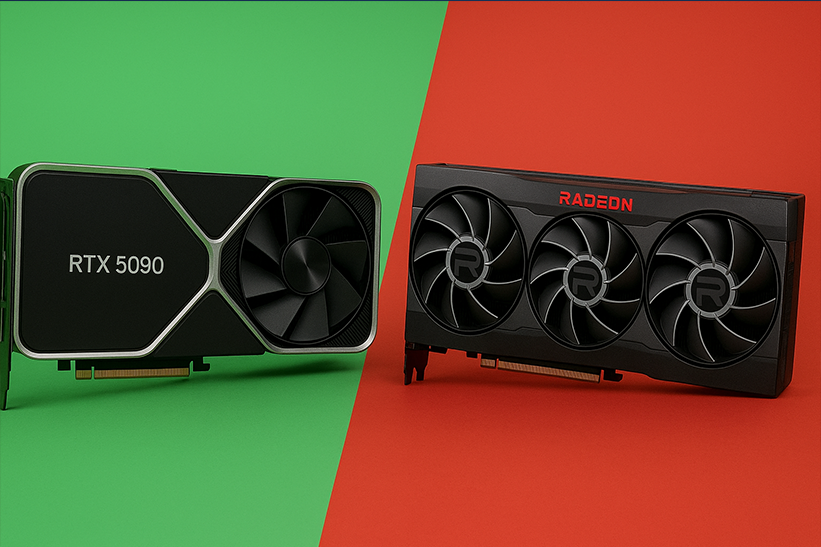
- NVIDIA RTX 5090
- NVIDIA RTX 4090
- AMD Radeon RX 7900 XTX
For Medium Settings (45–60 FPS)
- NVIDIA RTX 4070 Ti Super
- AMD RX 7800 XT
The GPU is the most critical component for 4K performance.
CPU Requirements
4 K gaming is GPU-heavy, but the CPU still matters.
Recommended processors:
- Intel Core i9 or i7 (12th gen or newer)
- AMD Ryzen 7 or Ryzen 9 (5000 series or newer)
RAM Requirements
- 16GB is the minimum
- 32GB recommended for AAA titles
Storage Setup
- SSD required
- NVMe highly recommended
- Faster load times + smoother streaming
Best Monitors for 4K Gaming
High refresh rate monitors with 120Hz, 144Hz, or 165Hz (rare in 4 K) are key for smooth FPS at 4 K, making gameplay more responsive and engaging.To enjoy smooth FPS at 4K, aim for a monitor with:
- 120Hz
- 144Hz
- 165Hz (rare in 4K)
IPS vs OLED
- OLED → Best colors + perfect blacks
- IPS → Bright, sharp, great for competitive gaming
Screen Size Recommendations
- 27” for close gaming
- 32–42” for immersive gaming
- 48–55” for couch/console gaming
4K Gaming on Consoles
PS5 and 4K Gaming
- Many games support native 4K
- Others use upscaling or dynamic resolution
- Performance mode: 60–120 FPS
- Quality mode: Native 4K with ray tracing
Xbox Series X
- Stronger 4K performance
- More games run at true 4K
- Supports 120 FPS at 4K on specific titles
Native 4K vs Upscaled 4K
- Native 4K: Best Quality
- Upscaled 4K: Better performance, slightly softer image
Best Settings for Smooth 4K Gaming
Recommended Graphics Settings
- Textures: Ultra
- Shadows: Medium
- Anti-Aliasing: TAA
- Anisotropic Filtering: 8x or 16x
- Ambient Occlusion: High
- Foliage: Medium
Settings to Lower for Better Performance
- Motion blur
- Volumetric lighting
- Depth of field
- Screen space reflections
- Post-processing
Use AI Upscaling
- DLSS (NVIDIA)
- FSR (AMD)
- XeSS (Intel)
These can boost FPS by 30–70% at 4K!
4K Gaming vs 1440p Gaming
| Feature | 4K Gaming | 1440p Gaming |
|---|---|---|
| Visual Quality | ⭐⭐⭐⭐ | ⭐⭐⭐ |
| FPS | Lower | Higher |
| Hardware Cost | Higher | Medium |
| Best For | Story games | Competitive games |
| Future-Proof | Yes | Moderate |
1440p provides excellent FPS and clarity, but 4K offers unmatched detail.
Is 4K Gaming Worth It?
Yes—if you prioritize visuals, immersion, world detail, and next-gen Quality.
Not ideal for:
- Competitive players need 200–400 FPS
- Budget gaming builds
- Small monitors (below 27”)
But for open-world, story-driven, and cinematic games, 4K gaming is absolutely worth it.
Future of 4K Gaming
Higher Refresh Rates: 240Hz 4K Monitors
Companies are already testing 4K 240Hz for esports-level smoothness.
More Powerful GPUs
Next-gen cards like the RTX 5090 aim to deliver 4K 120+ FPS in ultra settings.
AI Upscaling Improvements
DLSS, FSR, and similar technologies will allow midrange GPUs to run 4K smoothly.
8K Gaming
Still early—but 4K will remain the standard for at least the next 5–7 years.
Conclusion
4K gaming delivers stunning detail, lifelike graphics, and a next-generation experience—especially for AAA titles and open-world adventures. While it requires powerful hardware and a solid budget, the visual payoff is unmatched. With optimized settings and the proper GPU, 4K gaming can be both smooth and breathtaking.
FAQs
What do you need for 4K gaming?
A powerful GPU (RTX 4090+), strong CPU, 16–32GB RAM, and a 4K monitor.
Is 4K better than 1440p for gaming?
4K offers better visuals, while 1440p offers higher FPS.
Can RTX 4070 run 4K games?
Yes, on medium settings with DLSS enabled.
Do you need 32GB RAM for 4K gaming?
Recommended for modern AAA games, but 16GB still works.
Is 4K gaming worth it?
Yes—if you value visuals, immersion, and future-proof performance.